

Ever felt like your monitor is slowing you down? Picking the right display can seem like a guess when there are so many choices. We tested lots of screens in our lab, checking things like contrast (the difference between light and dark), color accuracy (how true the colors are), and speed (response time). Whether you're gaming, designing, or just working every day, our tests show which monitors give you clear visuals and quick response times. Our top picks can really boost your daily tasks.
Desktop Monitor Reviews Overview: Comprehensive Selection for Every Use Case
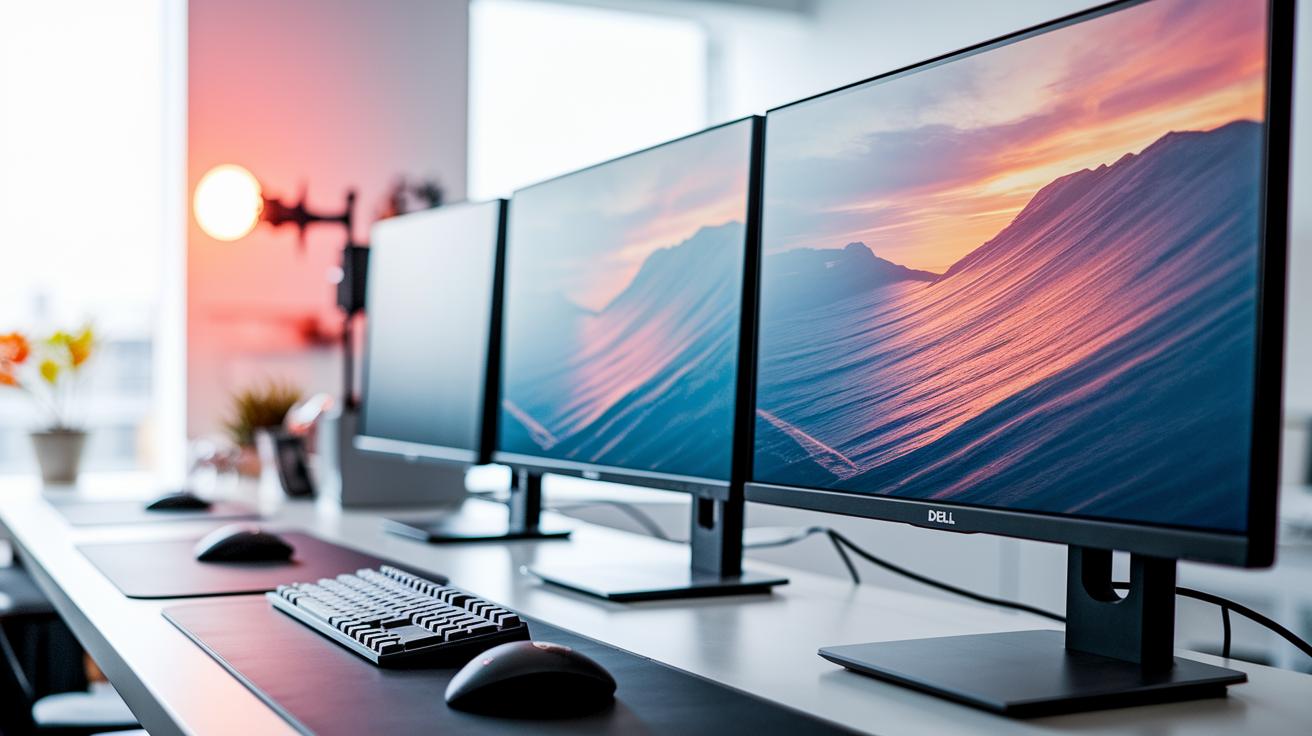
We review a wide range of desktop monitors. Whether you need a fast screen for gaming or a color-accurate display for design work, we cover it all. We test monitors for gaming, media, and everyday office tasks.
Our tests check contrast, color accuracy, HDR performance (how well a monitor shows a wide range of colors and brightness), and response time (how fast the screen updates). We use both hands-on impressions and real numbers from our lab. When we say "the colors pop," we mean the brightness and accuracy stayed strong under different settings.
Our top picks include the MSI MAG 272QP QD-OLED X50, Dell S2725QS, ASUS ROG Strix OLED XG32UCWG, Lenovo Legion Pro 34WD-10, and Gigabyte M27UP. Each monitor brings a different mix of panel type, resolution, and price, so there’s something for every gamer or design pro.
Desktop Monitor Reviews: Gaming-Focused High-Speed and OLED Displays
Competitive gaming calls for super fast refresh rates and low response times. When your monitor updates the image more times per second, it cuts down on motion blur. For example, a 500 Hz refresh rate lets the image change almost instantly, which can really help when every millisecond counts.
Different panel types and HDR features also affect gaming visuals. TN panels give the fastest response but sometimes lack deep colors. IPS panels mix speed with good color accuracy, while VA panels stress high contrast. OLED panels deliver perfect blacks and great contrast that boost HDR scenes. All these factors help gamers choose a display that feels both quick and vivid.
| Monitor | Panel Type | Refresh Rate | Price |
|---|---|---|---|
| Dell S3222DGM | VA | 144 Hz | ~$250 |
| Alienware AW2524HF | TN | 500 Hz | Premium |
| Asus ROG Swift PG27AQDP | OLED | 144 Hz | Premium |
| Gigabyte M27QA ICE | IPS | 144 Hz | ~$250 |
| Acer Predator X32 X3 | IPS | 240 Hz @ 4K / 480 Hz @ 1080p | Premium |
When building a gaming setup, balancing speed, resolution, and price is key. High refresh rates and top panels can boost performance, but they might be pricier. It's all about finding a monitor that offers strong gaming performance without breaking your budget.
Desktop Monitor Reviews: Budget and Office Workstation Displays

Budget monitors for office work are built to be clear, comfy, and energy smart. These screens give you crisp text with high resolution (like QHD or 4K) and let you adjust the stand and enjoy slim bezels for a better work setup. Plus, using less power helps lower energy bills, which matters in busy offices and home workspaces.
We looked closely at the Dell S3222DGM and the Gigabyte M27QA ICE. Both offer QHD clarity and solid video processing for just over $250. The Dell S3222DGM uses a VA panel, known for its good contrast and eye-friendly display during long sessions. The Gigabyte M27QA ICE sports an IPS display, which means you get sharp colors and great viewing angles. Fun fact: The Gigabyte M27QA ICE surprised us by matching fast video processing with its affordable price.
For those who need more screen space for multitasking, the Dell S2725QS and Lenovo Legion Pro 34WD-10 are worth a look. The Dell S2725QS features a 27-inch 4K IPS panel, giving you plenty of clear space, while the Lenovo Legion Pro 34WD-10 offers a 34-inch ultrawide display for even more room to work. Both models come with extra connectivity and flexible designs to help boost productivity.
Desktop Monitor Reviews: Professional Color-Critical and Connectivity Performance
When you work on projects where color is key, you need a monitor that won't let you down. The ASUS ROG Strix OLED XG32UCWG comes ready to impress right out of the box. It offers factory-tuned settings and built-in calibration tools so you get true-to-life colors without extra fuss. Designers and photographers can trust its deep colors and endless contrast to meet strict creative demands.
The Alienware AW3225QF and Philips Evnia 49M2C8900 also offer plenty of connection choices. They have many HDMI and DisplayPort inputs along with handy built-in USB hubs. These monitors even support daisy-chain setups (linking several displays together), which makes handling multiple screens easy. You get smooth, reliable data delivery for all your work needs.
For added flexibility, these displays feature docking options and built-in KVM support (a feature that lets you switch between different computers without extra gear). This means you can quickly swap between desktops and laptops without juggling extra monitors. It all makes your workflow simpler and more efficient, no matter what devices you use.
Built to last and designed for comfort, these monitors have sturdy construction and ergonomic features. With adjustable stands and VESA mounts, you can set them at just the right angle for long hours of work. Their solid build holds up to daily use, reducing strain over time. In the end, you get a setup that keeps you productive and comfortable, day in and day out.
Desktop Monitor Reviews: Curved and Ultra-Wide Immersive Screen Assessments

Curved displays give you a wide view by bending the screen to match your line of sight. This design keeps the image at a more even distance from your eyes, which cuts down on edge distortion. It feels natural, almost like the screen matches your eye shape, which makes long gaming sessions or intensive multitasking more comfortable.
Take the Alienware AW3423DWF, for example. It has a 34-inch QD-OLED panel with a 3440×1440 resolution that shows deep, vibrant colors and strong contrast. Its smooth curve keeps action scenes lively and clear. Then there's the Philips Evnia 49M2C8900. This monitor sports a huge 49-inch DQHD QD-OLED display with a 240 Hz refresh rate. Its wrap-around design fills your view and boosts immersion, whether you're gaming or working on creative projects.
Large ultrawide screens also help with productivity. They let you view multiple windows side-by-side without straining your neck or eyes. For gamers, the immersive feel of a curved panel draws you into the action, making every detail matter when you need to be at your best.
Desktop Monitor Reviews: Technical Feature Comparison and Benchmarks
Picking the right monitor is all about the details. The panel type affects how fast the screen responds and how clear the contrast is (the difference between dark and light). This matters whether you game or work on projects where color is key. Refresh rate also plays a big role. It makes motion look smoother in fast games and movies.
Different panels, like TN, IPS, VA, and OLED, have their own perks. OLED screens give deep blacks and high contrast. IPS displays strike a balance between color accuracy and speed. Today, most displays start at 120 Hz, with many reaching 144 Hz or even over 240 Hz. Features like G-Sync and FreeSync (adaptive sync options that reduce screen tearing) help keep the action smooth.
Key features to check:
- Panel details: response time and contrast.
- Refresh rates: 120 Hz, 144 Hz, or 240 Hz+.
- Adaptive sync options: G-Sync and FreeSync.
- HDR settings: for balanced brightness and dark details.
- Resolution choices: 1080p, 1440p, or 4K.
- Connectivity: HDMI, DisplayPort, and USB-C.
Benchmarks show how these specs work in real life. Fast response times and high refresh rates keep moving scenes smooth and clear. Adaptive sync helps the display stay steady during quick bursts of action. HDR settings brighten dark scenes and soften bright spots to give a balanced picture. Resolution tells you how clear the images are, whether you're watching movies or editing photos. And a range of connectivity options lets you hook up your gaming PC or console without a fuss. Compare these details with your needs and budget to pick a monitor that fits your lifestyle.
Desktop Monitor Reviews: Price-Performance Study and Upgrade Potential

We’ve looked at how budget, gaming, and office monitors compare in other reviews. Here, we focus on how entry-level models can set you up for future upgrades. These monitors cover the basic features you need now and give you an easy path to upgrade later. For example, a monitor that delivers QHD clarity (sharp visuals) at a standard 60 Hz refresh rate works great today. Its steady performance makes it a reliable stepping stone as you plan to move on to faster refresh rates or higher resolutions down the road.
Final Words
In the action, we mapped out desktop monitor reviews that blend real testing with clear criteria. We broke down gaming setups, office models, and professional displays side-by-side. Our guide covered key details like contrast, color accuracy, panel types, and connectivity specs. It showed how each monitor fits a range of uses and budgets. The breakdown makes it easier to match real needs with tested performance. Enjoy exploring your options and make a choice that feels right.
FAQ
What are the best computer monitors for work?
The best monitors for work offer sharp visuals and ergonomic designs for long use. Models like Dell S2725QS and Lenovo Legion Pro 34WD-10 provide clear images and accurate colors to boost productivity.
What factors are considered in desktop monitor reviews?
Desktop monitor reviews focus on contrast, color reproduction, HDR performance, and responsiveness. These tests help ensure each monitor meets the demands of gaming, professional tasks, and everyday use.
What monitors are best for gaming?
Gaming monitors rely on high refresh rates and low response times for fluid gameplay. Options like Alienware AW3225QF and MSI MPG 271QRX QD-OLED offer competitive performance and immersive visuals.
Which budget monitors deliver for working from home?
Budget monitors such as Dell S3222DGM and Gigabyte M27QA ICE combine QHD clarity with solid responsiveness. They are well-suited for home offices, providing good performance at an affordable price.
Are OLED or IPS monitors better?
OLED monitors offer deep blacks and vibrant colors, while IPS displays balance color accuracy with fast response times. The right choice depends on whether you value contrast or uniform color reproduction.
Which brands produce the most reliable computer monitors?
Renowned brands like Dell, ASUS, MSI, and Alienware consistently deliver reliable monitors. Their products are tested thoroughly to ensure durability, high-quality visuals, and dependable performance.
Which monitor size is better, 24-inch or 27-inch?
A 27-inch monitor generally offers a larger viewing area suited for multitasking and immersive visuals, while a 24-inch monitor fits smaller spaces better. Your choice depends on your workspace and preference.
What do MSI and Alienware QD-OLED monitors offer?
MSI and Alienware QD-OLED monitors feature advanced display technology, delivering vibrant colors, high contrast, and fast refresh rates. They are designed for both competitive gaming and creative work.