

Does your server feel like it's running too hot when busy? Liquid cooling keeps your setup cool and fast even during heavy work. Instead of using air to cool things off, liquid cooling takes heat straight from the chips or uses special rear exchangers to lower temperatures. This means you can push your equipment harder and handle tough AI tasks without constant downtime. With built-in sensors and real-time tweaks, this method can handle five to ten times more heat than traditional air cooling. In our tests, we saw liquid cooling shine in high-density server setups, proving it is a solid choice for demanding environments.
How Liquid Cooling System for Server Delivers Superior Performance
Liquid cooling systems provide strong cooling in setups where high-density racks and AI tasks push the limits. They outperform air cooling by recirculating liquid that directly touches the chip (direct-to-chip cooling) or flows through a heat exchanger mounted on the back of the server (rear-door heat exchanger). This method quickly draws heat away, letting your equipment run faster without the worry of overheating. At lower to moderate loads, these techniques effectively keep temperatures in check.
Immersion cooling is a great option when racks handle power loads above 200 kW. It works by submerging server parts in a liquid coolant, which pulls heat away swiftly and shrinks the path that air would normally travel. In mixed setups, air cooling works for loads up to about 15 kW per rack, while liquid cooling kicks in as power needs rise. This blend is a clear win when you have limited space and need to pack in more compute power.
Built-in sensors and AI boost performance even more by constantly tracking temperature and coolant flow. They fine-tune pump speeds and valve settings to handle sudden heat spikes. During heavy computing tasks, the system makes quick adjustments to protect hardware and improve energy use. In fact, tests show liquid cooling can handle 5 to 10 times more heat than air cooling, cutting downtime and boosting reliability under heavy loads.
These advanced cooling methods are setting a new standard for server systems. By managing temperatures precisely and moving heat efficiently with liquid, they clearly outshine traditional air cooling systems.
Core Components of a Liquid Cooling System for Server Infrastructure

At the heart of the system is the Coolant Distribution Unit (CDU). It holds pumps that keep the coolant moving steadily. The fluid, which can be water, a glycol mix (a type of antifreeze), or synthetic oil, carries heat away from busy parts.
Next, heat exchangers work with the CDU. These parts, found either at the back of the rack or as cold plates on CPUs and GPUs, take heat from hotspots and move it to the coolant. Quick-disconnect fittings and manifold blocks help technicians remove or install parts with ease. Have you ever seen a block removed quickly during service? It is thanks to these smart design choices.
Special liquid-cooled server racks also manage tubing runs well. They include leak detection sensors that alert you to any issues. This setup supports direct fluid cooling, making sure every component gets the right amount of cooling.
Key components include:
- CDU with reliable pumps
- Heat exchangers and cold plates on processing units
- Quick-disconnect fittings and manifold blocks for easy service
- Leak detection sensors for extra safety
Designing Efficient Thermal Regulation Strategies with Liquid Cooling
Data centers use numbers like CoP, ERE, and PUE to check how efficiently they run. CoP (coefficient of performance) tells us how many cooling units we get for each unit of power used. For example, a CoP of 4.2 means you get roughly four cooling units during busy times.
We measure how much heat is removed in watts. This depends on how fast the coolant flows and how well the materials carry heat. Engineers try different flow speeds to hit the best balance between cooling and energy use. That’s why many systems use variable-speed pumps, which adjust the flow based on live temperature readings.
Liquid cooling systems can even capture waste heat for reuse. This lets data centers cool their equipment while also grabbing extra heat to save energy. Some setups include free-cooling chillers to cut down on traditional HVAC use. These eco-friendly designs help lower a facility’s carbon footprint.
Keeping digital centers cool means watching temperatures carefully with sensors and real-time data. Tests check how many watts of heat are removed and adjust efficiency numbers as loads change. Engineers also keep an eye on how often the system needs recalibration when the environment shifts.
Using these smart designs helps data centers lower energy use without sacrificing performance. The main goal is to build systems that cool well, save energy in the long run, and keep running costs down.
Step-by-Step DIY Liquid Cooling Installation for Server Racks
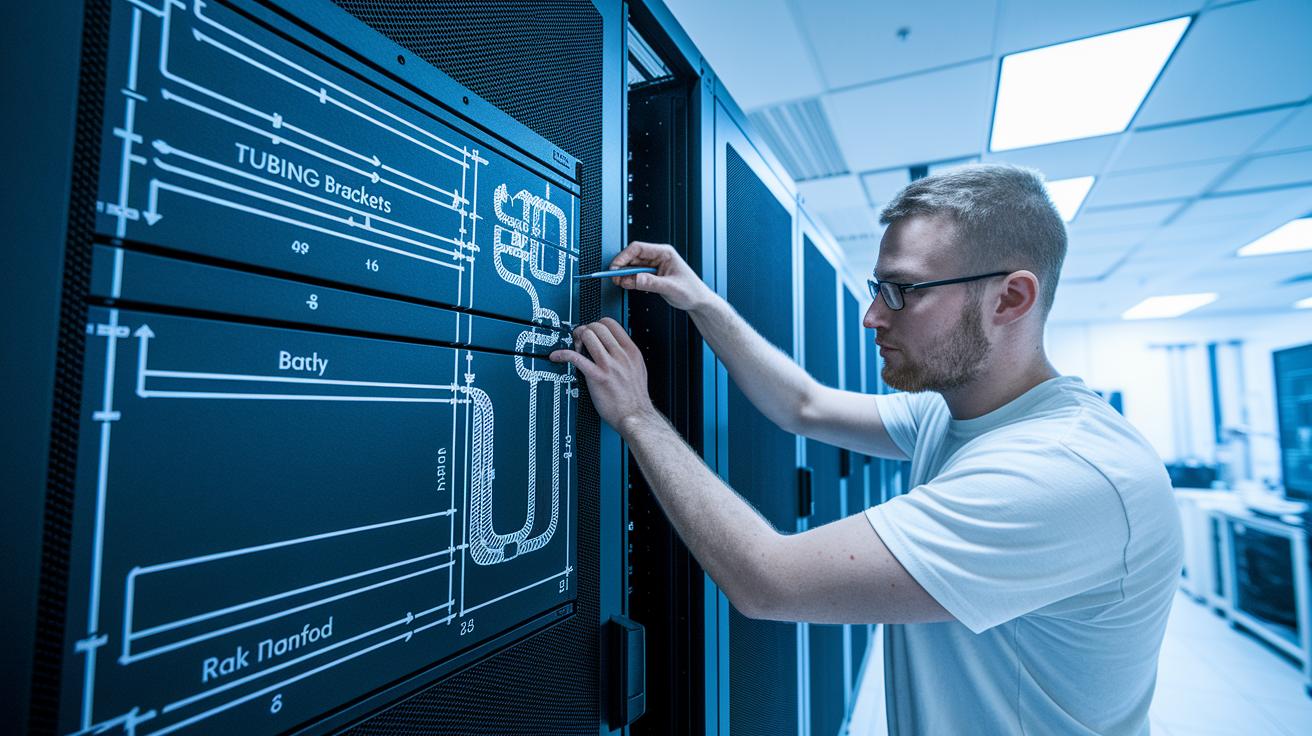
Start by checking your rack space and planning the coolant flow. This helps you decide where to put mounting brackets and rack manifolds so the tubing won’t be squeezed in tight spots.
- First, measure your rack space and draw out how the coolant will move.
- Next, install the mounting brackets and secure the rack manifolds in place.
- Then, connect the pump lines and attach the cold-plate headers to your CPU or GPU.
- Fill the system with your chosen coolant, whether it’s water, a glycol mix (water with antifreeze), or synthetic oil, and remove any trapped air from the circuit.
- Run a pressure test at 1.1 times the normal pressure to make sure there are no leaks.
- Finally, calibrate the flow meters and set up leak detection sensors.
Remember, regular maintenance is key to keeping your system in top shape:
- Check the coolant levels every week.
- Keep an eye on pump vibrations to catch any early signs of wear.
- Replace the filters every six months to ensure the fluid stays clean.
Following these steps ensures a smooth setup and reliable performance for your liquid cooling system. Regular checks help you spot issues early and keep the system running efficiently.
Cost and Efficiency Analysis of Liquid Cooling System for Server
Liquid cooling systems cost 25–40% more than air cooling at the start, but they can cut energy bills by up to 30% over time. In many cases, the extra cost is recouped in just 2–4 years thanks to lower operating expenses.
A major perk of liquid cooling is that it boosts compute density. With this system, data centers can fit up to 4× more racks in a room, meaning more compute power without needing extra space. Plus, liquid cooling helps lower the Power Usage Effectiveness (PUE), which is a measure of how much energy is used for cooling versus computing. While air-cooled systems often score between 1.5 and 2.0, liquid systems score below 1.2. This drop in PUE leads to less energy spent on cooling.
Key financial benefits include:
| Benefit | Description |
|---|---|
| Energy savings | Cuts energy use by up to 30% |
| High compute density | Allows up to 4× more racks per room |
| Lower PUE | Uses less energy for cooling, scoring below 1.2 |
Another plus is that waste heat from the system isn’t wasted at all. You can use it to heat water or even warm up a building, adding extra savings to the mix. When you add up the benefits, liquid cooling shows a clear financial win over traditional air cooling, even though it starts at a higher price.
Comparing Liquid Cooling System for Server vs Traditional Air Cooling Solutions

Liquid cooling is a solid choice for server rooms that need to handle a lot of heat. Air cooling works well for lighter jobs, usually keeping power loads up to about 15 kW with CRAC units (cooling units) and raised-floor airflow. When loads rise between 20 kW and 200 kW, recirculating liquid systems, using closed-loop circuits and heat exchangers, step in. And if you face loads above 200 kW, immersion cooling, which means dipping server parts in a special, non-electrically conducting liquid, is the way to go.
Liquid cooling moves heat away 5 to 10 times faster than air does. This extra power lets you pack servers closer together and shrink your overall footprint. Many data centers now mix both methods, using air for normal zones and liquid cooling for the hotter aisles. This flexible setup cuts energy use and boosts compute density without extra hassle.
At the end of the day, air cooling is reliable for moderate needs, but liquid cooling shines when heat becomes a challenge. It not only removes heat quicker but also cuts operating costs over time. These clear differences can help guide your choices for future IT setups, proving that liquid cooling can set a new standard for performance.
Future Trends and Next-Gen Liquid Cooling Architectures for Servers
New liquid cooling designs are getting a smart boost from AI controls. Sensors check the temperature every moment and tweak pump speeds and valve settings to save energy. In one test, a server’s pump speed changed instantly when a heat spike hit, keeping the temperature in check.
Immersion cooling is also on the rise, especially in AI and high-performance computing clusters. In this method, key parts are dipped in a special, non-conductive liquid that pulls heat away quickly. Many data centers now use immersion cooling to fit more compute power into tight spaces.
Engineers are testing new refrigerants that have a lower impact on global warming. These fluids take away heat as well as older ones while leaving a smaller carbon footprint. With greener rules and rising buyer expectations, these refrigerants are under close watch.
Some designs use underfloor cooling modules and cold plates built right into the chassis. This setup makes it easy for data centers to upgrade cooling bit by bit as computing needs grow. It also helps them adjust smoothly when workloads shift and more servers are added.
Predictive maintenance is getting a clear boost, too. With tools like thermal imaging (which shows heat differences) and vibration sensors, systems can spot small issues before they become big problems. For example, a routine check caught a slight change in a pump's rhythm, letting technicians fix it before any disruption occurred.
These advances point to a future where liquid cooling in server environments is both smarter and more efficient.
Final Words
In the action, we broke down how liquid cooling enhances server performance. We covered key hardware parts, installation steps, and cost benefits. The guide explained metrics like PUE and underscored performance improvements compared to air cooling. It detailed everything from setup to maintenance with clear data and real-world tips. This review shows how a liquid cooling system for server meets the growing demands of modern IT setups. Enjoy the benefits of a smarter and more efficient cooling solution.
FAQ
Frequently Asked Questions
What are common discussions on Reddit about liquid cooling systems for servers?
Discussions on Reddit show users sharing personal experiences with liquid cooling setups for servers, covering everything from installation tips to long-term performance benefits and troubleshooting challenges.
What is the price and cost of liquid cooling systems for servers?
The price of liquid cooling systems tends to be 25–40% higher than traditional air-cooling setups, but energy savings and higher system densities can make them cost-effective over time.
Which companies supply liquid cooling systems for data centers?
Companies supplying liquid cooling systems for data centers range from specialized IT hardware vendors to larger data center infrastructure providers who focus on energy efficiency and improved heat transfer solutions.
How are liquid cooling systems designed for data centers?
Data center liquid cooling designs combine efficient coolant distribution, integrated sensors, and optimized tubing layouts to manage high-density racks, ensuring effective thermal regulation even under heavy compute loads.
What is liquid cooling for servers?
Liquid cooling for servers uses a coolant—often water mixed with glycol—to remove heat directly from critical components, offering a more efficient alternative to traditional air-cooling in high-demand environments.
Is liquid cooling still worth it?
Liquid cooling remains worth considering, especially for high-density or AI workloads, as its superior heat transfer and energy efficiency can extend hardware life and reduce overall data center costs.
What liquid is used to cool servers?
Server liquid cooling systems typically use a mix of water and glycol, though some systems opt for synthetic oils when a specialized coolant is needed for better performance or conductivity control.
How do you water cool a server?
To water cool a server, install a cooling loop with cold plates, a pump, and a radiator; fill the system with coolant, remove any air, and test for leaks to ensure proper performance and safety.