

Ever thought a simple voice command could lift your mood? Alexa-powered smart speakers let you do just that. Imagine asking for your favorite song or dimming your lights with just a whisper, and it happens right away. We put these speakers to the test for playing music, handling voice commands, and managing daily tasks around the house. Read on to see if these smart assistants really add a spark to your everyday routine.
Key Features to Consider in Smart Speakers with Alexa
When checking smart speakers with Alexa, sound quality is the first thing to test. Look for clear vocals when playing music and crisp, fast responses when you talk to Alexa. We played music, podcasts, and issued voice commands to see how the speaker handles real-world use.
Setting up the speaker should be simple too. Most devices connect through the Alexa app, letting you sign in and assign speakers to different rooms quickly. A smooth setup means you spend less time battling tech and more time enjoying your music.
Design matters as well. Many smart speakers have a modern look that fits easily into any room. The layout of buttons and controls can change how you use the speaker, so it’s a good idea to check how it feels in your hand before you decide.
Lastly, make sure your speaker works well with other smart home devices like lights and thermostats. In our tests, speakers with strong voice recognition and responsive controls can really change the way you live at home. And remember, even if a speaker costs less, it might still pack a punch when it comes to performance.
Smart speakers with Alexa Radiate Joy
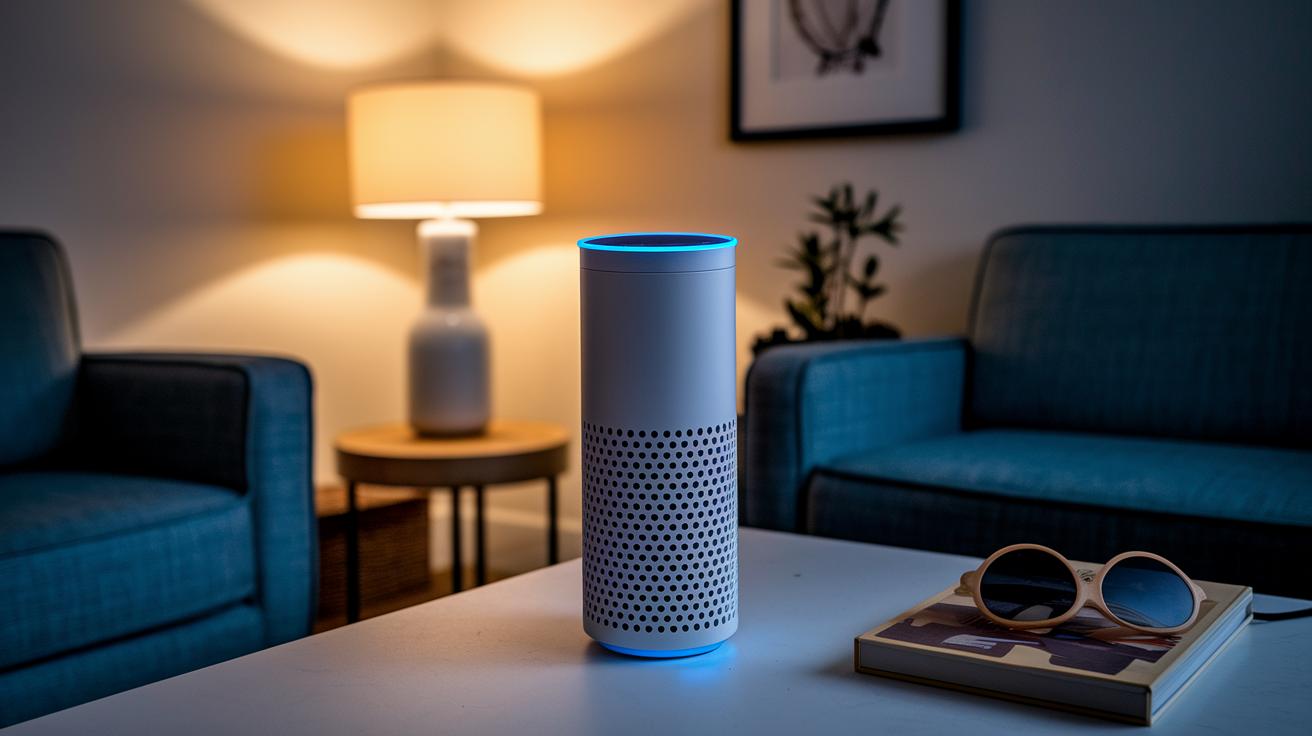
The Amazon Echo (4th Gen) leads our list with a stylish design and clear, balanced sound. It feels like art that talks back, a modern piece that delivers great audio whether you're controlling your smart home or just listening to music.
- Amazon Echo (4th Gen): Merges a futuristic look with versatile sound quality.
- Amazon Echo Dot (5th Gen): Ideal for budget buyers. It sounds better than earlier models, though it skips a 3.5mm port.
- Sonos Era 100: Designed for music lovers, it produces rich, detailed sound that makes every note pop.
- Echo Studio: Great for a home theater setup, offering deep, layered audio that turns movie nights into a treat.
The Echo Spot (2024) fits well in small rooms with its ultra-compact design. Its small screen, however, can feel a bit limited during video calls. On the premium side, the Bose Smart Speaker 500 impresses with top-notch audio and a refined look that meets high expectations.
- Brane X: Built for on-the-go use, it delivers strong bass in a simple, unassuming package.
- Echo Show 21: Features a large touchscreen, almost double the size of the Echo Show 15. Its higher price might give some buyers pause.
Every device here meets different needs. Whether you're after standout design, great value, or studio-quality sound, these Alexa-powered speakers make your smart home life easier and more fun. Our tests revealed clear differences in voice response and sound clarity across various setups, so there’s an option for every lifestyle.
How Smart Speakers with Alexa Compare to Other Assistants
Alexa devices, like the Echo series, pack in a lot of smart features that many other brands just don't offer. When you stack these against Google’s Nest Audio or speakers from Sonos and JBL, you quickly see that Alexa shines with a wide range of skills and routines. With Nest Audio, you might enjoy great sound quality, but Alexa wins on the variety of voice commands and automation options.
Google is changing things up with its new Gemini for Home to power their smart speakers. This upgrade means that, while Google Assistant has been known for nailing voice commands, Alexa now brings in a more natural, chatty feel with generative AI. It’s like having a friend who not only plays music but really understands your smart home setup.
Other assistants, like Siri, tend to lag when it comes to connecting with lots of third-party services or handling smart home tasks smoothly. In our tests, Alexa speakers reacted fast, set up multiroom audio without a hitch, and let you fine-tune voice control more than you might expect from a typical smart speaker.
For anyone looking into wireless audio devices, Alexa’s robust ecosystem might just be the best pick, especially if you value a mix of speed, flexibility, and a broad range of smart features.
Setup and troubleshooting steps for smart speakers with Alexa

Download the Alexa app on your smartphone. Open the app and follow these easy steps to set up your speaker:
- Connect your speaker by choosing its Wi-Fi network.
- Sign in with your Amazon account to link your profile.
- Choose a room for your speaker to help manage multiple devices.
Once set up, speak a command to check if the speaker listens. If it stops responding or drops out, try these fixes:
- Turn your router off, then on again to reset the network.
- Unplug the speaker for one minute and plug it back in.
- Look for firmware updates in the Alexa app.
- Check the microphone settings so the speaker can always listen.
For example, if Alexa doesn’t respond during a music session, a quick restart usually clears up the glitch.
Integrating Smart Speakers with Alexa into Home Automation
Smart home systems work best when your gadgets truly communicate with each other. The Echo Dot Max is more than just a speaker. It comes with buttons and tap controls that give you a hands-on feel, so you don't have to rely only on your voice. Plus, Alexa Multi-Room Music lets you sync up to 50 devices. This means your favorite songs can fill your entire home, whether they start in the living room or move into the kitchen and bedrooms.
Routines add an extra layer of ease to your setup. You can link your Echo Dot Max with lights, thermostats, and cameras. In real life, you might say a command that dims the lights, sets the right temperature, and turns on your cameras when you leave. Or, you could have a routine where upbeat music and a brewing coffee machine kickstart your morning. One simple phrase can trigger several actions at once.
When you connect your Alexa speaker with other smart devices, the whole system becomes flexible and adapts to your daily needs. You can use the physical controls on the Echo Dot Max for quick changes, or simply use your voice to switch between routines. It’s all about making each part of your smart setup, from room-filling sound to linked routines, quick and responsive. This kind of integration builds a home that listens, responds, and keeps up with your day-to-day life.
Final Words
In the action, we broke down the core criteria for smart speakers with Alexa. We covered sound quality, voice accuracy, ease of setup, and how these devices fit into your smart home. Our tests provided real-world insights on audio performance, troubleshooting steps, and integration tips. This review helps guide you to a device that fits your budget, needs, and everyday use. Enjoy exploring your options and making your home smarter with reliable smart speakers with Alexa.
FAQ
How do smart speakers with Alexa support Bluetooth and wireless connectivity?
Smart speakers with Alexa support Bluetooth by allowing wireless audio streaming from devices. They also use Wi-Fi to connect to the internet, enabling smooth access to Alexa features.
What Alexa speaker is best for music?
The best Alexa speaker for music offers clear, rich sound. Options like Sonos Era 100 and Echo Studio deliver detailed audio, making them ideal for music lovers.
What are some popular models like Amazon Echo Studio, JBL Alexa speaker, and portable Alexa speakers?
Amazon Echo Studio provides deep sound for home theaters; JBL offers robust bass in a compact design, while portable Alexa speakers provide mobility. Each model meets different audio and feature needs.
What is the best smart speaker with Alexa?
The best smart speaker with Alexa depends on your needs. Our tests point to the Amazon Echo (4th Gen) as a standout choice with balanced sound and a sleek design.
What is the monthly fee for Alexa?
Alexa itself does not have a monthly fee. While some premium services may charge extra, using Alexa’s basic features is free once your speaker is set up.
Can I connect a smart speaker to Alexa?
You can connect a smart speaker to Alexa using the Alexa app. Set up your device with Wi-Fi and link it to your Amazon account for voice control and smart routines.