

Ever feel stuck picking the right desktop for your small business? Many owners face a real challenge choosing a system that handles both day-to-day emails and heavy data loads.
In our review, we take a close look at top desktop models. We break down key details like processor speed, memory (how fast your computer works), and storage (the space for your files). We line up popular options side-by-side so you can see which ones work best for everyday tasks, creative projects, or data processing.
Our aim is to help you cut through the confusion and pick a system that really fits your needs.
Small Business Desktop Reviews: Quick Spec Comparison
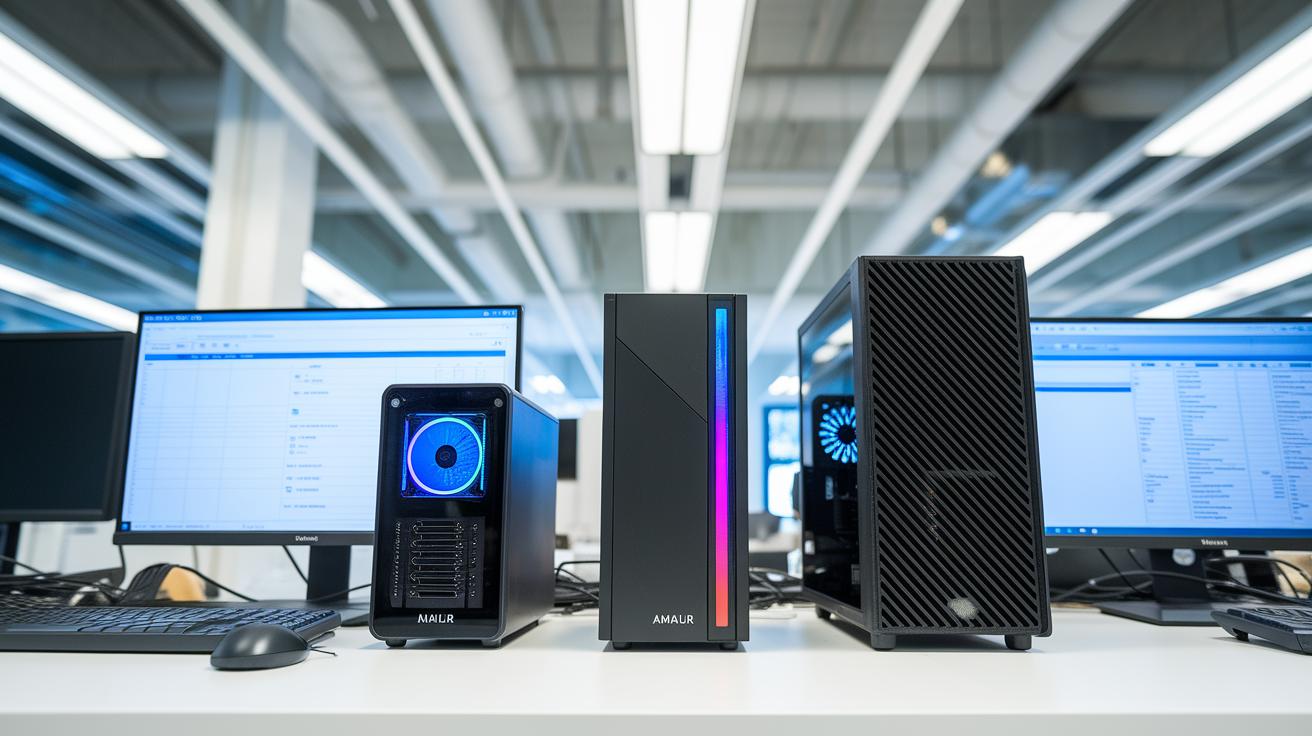
We've rounded up top desktops for small businesses in 2025 in this quick spec review. For a deeper look, check out our detailed desktop computer reviews using the link provided. These models range from small mini PCs to sturdy towers, so every business can find what fits its needs.
Each model offers its own mix of processing power, memory, and storage. This means they can handle everyday emails, creative projects, or data-heavy work. Whether you're on a tight budget or need a high-performance workstation, this overview gives you the specs you need to decide.
We picked these desktops based on their processing speed (CPU performance), memory size (RAM), and storage options. For example, the Dell OptiPlex 7020 Plus and Lenovo ThinkCentre M750s deliver solid performance, while some Apple units are great for creative work. We hope this simple guide makes your choice easier.
| Model | CPU | RAM | Storage | Price | Ideal Use |
|---|---|---|---|---|---|
| Dell OptiPlex 7020 Plus | 14th Gen Core i7-14700 | 16GB | 512GB SSD | High | Multitasking |
| Apple 2024 Mac Mini | M4 chip | 8GB | 256GB SSD | Mid-range | Creative |
| Apple 2024 iMac All-in-One | M4 chip | 16GB | 512GB SSD | High | Design |
| Lenovo ThinkCentre M750s | 2.4 GHz Core i9 | 16GB | 512GB SSD | High | Data tasks |
| Dell Inspiron 27 7720 | Intel Core i7 | 16GB | 1TB Combo | Mid-High | Multimedia |
| Dell Inspiron 3030 | Intel Core i5 | 8GB | 256GB SSD | Budget | Office use |
| HP 27 Business AIO | Intel Core i5 | 8GB | 512GB SSD | Mid | Hybrid |
| PCSP Precision 7920 | Intel Core i9 | 32GB | 1TB SSD | High | Content creation |
| HP Z2 SFF G9 | Intel Core i7 | 16GB | 512GB SSD | Mid-High | Compact work |
| Dell XPS 8960 | Intel Core i9 | 32GB | 1TB SSD | Premium | Heavy tasks |
Small Business Desktop Reviews: Stellar Choices for Success

Intel Core i5 systems give you the basics for everyday office tasks like checking email and editing documents. Our tests show that Core i7 models handle several tasks at once without a hitch, making them a smart pick when many programs run simultaneously. For the heavy-duty work, Core i9 machines stand out; they quickly manage tasks like running virtual machines and resource-heavy programs, keeping performance strong even on tough days.
Benchmarks prove that the Apple M4 Mac Mini and the Apple iMac score high on single-thread tests in Geekbench 5. In simple words, apps that need quick, standalone tasks feel snappy. Meanwhile, mini PCs such as the GMKtec M7 Mini, which comes with 32 GB of RAM by default, put up impressive numbers in PCMark 10 tests, showing they handle light multitasking smoothly.
Good cooling is also key. The improved thermal designs in these desktops keep them running steady over long work periods, making them a reliable choice for small businesses that need endurance day after day.
Reliability Findings in Small Business Desktop Reviews

Small businesses need desktops that run smoothly every day. Our tests show that many systems are built to last five to eight years with simple upkeep. Even minor tweaks, like installing more memory or a faster drive, can keep an older machine productive way past its expected life.
The Dell OptiPlex and Lenovo ThinkCentre series stand out for their tough steel cases and smart cooling systems (which help keep the parts from overheating). Their solid construction means they handle everyday work and heavy use with ease. Most of these models come with a three-year warranty that includes on-site fixes, though some smaller mini PCs need to be serviced by mail. And while many All-in-One desktops have built-in cooling, they can struggle when pushed to their limits.
Good support is key to avoiding downtime. When a business partners with managed service providers, firmware and security updates stay current, cutting down on unexpected problems. In short, companies that invest in regular maintenance enjoy steadier, more reliable performance every day, which in turn boosts the overall life of the system.
Price Versus Value in Small Business Desktop Reviews

Setting up a new office means small companies and startups must consider both the upfront cost and long-term savings. Many business desktops are priced to fit tight budgets or offer premium features, all while keeping reliable performance over time.
Energy use is another key factor. Mini PCs draw only 15 to 30 watts when idle, compared to towers that can use 40 to 70 watts. Lower energy use helps cut running costs and boosts a system's overall value.
There are lots of options to choose from. Entry-level machines like the Apple 2024 Mac Mini start at around $280, while high-end Core i9 workstations can cost over $2,000. Refurbished models, such as the Dell OptiPlex 7060, prove that smart buying can deliver great performance at a lower price. Standard business towers with Core i5 processors offer a solid mix of power and cost, and mini PCs work well in tight spaces. It all comes down to weighing the initial price against energy efficiency and upgrade options to pick a system that performs well today and holds up for the future.
| Model | Price Range | Performance Tier | Value Score | Ideal Budget Tier |
|---|---|---|---|---|
| Apple 2024 Mac Mini | $280-$580 | Entry-level | Good | Entry |
| Dell OptiPlex 7060 (Refurbished) | Under $400 | Standard | Excellent | Budget |
| Standard Business Tower | $600-$800 | Mid | Solid | Mid |
| Core i9 Workstation | >$2,000 | High-End | Top | Premium |
| GMKtec M7 Mini | $500-$700 | Entry/Mid | Fair | Small Business Basic |
Feature Set Analysis in Small Business Desktop Reviews

Small business desktops are built with everyday tasks in mind, and the right port options are key. Tower models usually mix USB-A, USB-C, and Thunderbolt 4 ports, letting you easily connect printers, scanners, and external drives. Mini PCs often come with two or three ports. This works well for compact setups but can limit your options later. Many higher-end models add built-in Wi-Fi 6 and Ethernet choices like 2.5 GbE or 10 GbE to keep your network strong as your office grows.
Graphics setups vary a lot. Some desktops use built-in graphics from Intel or Apple, which are fine for basic work. But creative professionals might need more power. That’s where a workstation with a dedicated NVIDIA Quadro P4000 (8 GB video memory) comes in handy. It really boosts performance when you run graphic-heavy apps or use multiple displays.
Upgrade options are worth checking out too. Small form factor desktops usually support two RAM slots and one 2.5-inch drive bay. In contrast, tower desktops might offer up to four RAM slots and two drive bays, leaving more room for future upgrades. All-in-One models combine the display and webcam, which makes things simple but can limit what you can upgrade when you need more power.
Use-Case Recommendations Based on Small Business Desktop Reviews

For everyday tasks like checking email or handling spreadsheets, the HP ProDesk 400 G9 and Dell OptiPlex 7060 deliver steady, reliable performance. These models run daily apps smoothly and let you operate several programs at once. For example, a small team working on documents and meetings sees almost no lag.
When you start doing creative work or handling heavy data, your needs change. Creative users will appreciate the better graphics and processing power of the Apple Mac Mini, iMac, or even the PCSP Precision 7920. These machines are built to handle video editing and design work easily. For data-heavy tasks like finance or development, the Lenovo ThinkCentre M750s and Dell XPS 8960 keep up their speed, even in demanding operations.
If your space is limited or you need a compact setup for a reception area, mini PCs like the GMKtec Mini, Beelink SER8, or Shuttle XPC Nano fit nicely without missing on function. All-in-one systems like the HP 27 Business AIO come with built-in Wi-Fi 6 and a 4K webcam, making them great for video calls and team meetings. And if you’re watching your budget, refurbished Dell OptiPlex 7060 units or entry-level Mac Minis give you the core performance you need at a lower price.
Final Words
In the action, our review took you through a quick spec comparison, performance metrics, reliability, price versus value, and deep feature analysis. We examined a range from budget models to powerhouse workstations. Each section tied the technical details back to everyday needs. Small business desktop reviews help you pinpoint which system fits best for office tasks, creative projects, or data-driven workloads. With clear insights and test-backed data, you can move forward with confidence.
FAQ
What do consumer reports say about small business desktop reviews?
Consumer reports provide detailed tests that cover performance, reliability, and cost effectiveness of business desktops, helping users quickly gauge how models perform under real office workloads.
Which small business desktop reviews are recommended for business users?
The best reviews highlight desktop models with solid performance, durable builds, and value for money. They compare key specs and test real-world office tasks to guide business buyers.
What is the best desktop computer for small business and for business use overall?
A top business desktop offers strong multitasking, expandability, and reliable performance. Models like Dell OptiPlex and Lenovo ThinkCentre deliver proven results for everyday office operations.
How does an all-in-one computer for small business perform?
All-in-one PCs simplify desk setups by combining display and computer parts. They are space saving and offer smooth performance for typical office tasks, though internal upgrades can be limited.
What desktop computer options are leading for small business in 2025?
For 2025, desktops featuring modern CPUs and efficient cooling—such as 14th Gen Core i7 units—stand out by providing future-proof performance and reliable operation in busy office settings.
What do top 10 desktop computer lists for business show?
Top ten lists cover a variety of models from towers to all-in-ones and mini PCs. They detail specifications like CPU, RAM, and storage to help find a unit that fits different office needs.
Which laptop computer is best for small business?
The best small business laptops balance portability with enough power for routine tasks. They are tested for durability, battery life, and overall efficiency so that users can work on the go.
What makes a desktop computer good for small business environments?
A good desktop delivers reliable processing, multiple connectivity options, and solid build quality. Trusted brands like Dell and Lenovo frequently appear in tests for their dependability in office tasks.
Are desktops being phased out for business use?
Desktops remain a strong choice for fixed office setups due to their power and ease of upgrades. They continue to be valued in business environments despite the rise of mobile computing.
Are mini PCs as good as regular desktops for small business?
Mini PCs offer compact, efficient performance that suits small spaces. They work well for basic tasks, but standard desktops may provide better cooling and more upgrade options for intense use.
Are all-in-one PCs worth choosing for business?
All-in-one PCs are a neat solution for small offices where space is at a premium. They offer solid performance and integrated features, though they might limit future hardware upgrades.
How do desktop and laptop computers compare for business use?
Desktops typically provide higher performance and easier expansion, while laptops bring mobility. Your choice should match whether your work environment values fixed setups or on-the-go flexibility.
What are the benefits of a tower computer for business?
Tower computers often feature powerful processors, ample expansion slots, and robust cooling. This makes them ideal for heavy multitasking and data-intensive office applications.
Which business desktop computer is top-rated for 2025?
Top-rated business desktops for 2025 offer cutting-edge processing, efficient cooling, and versatile connectivity. These models combine modern tech with proven durability ideal for demanding office tasks.
What desktop computers for business are available for sale?
Business desktops for sale, whether new or refurbished, offer a range of features based on budget and performance needs. Competitive pricing coupled with reliable performance helps businesses save money while staying productive.
What makes the best Dell desktop for business stand out?
The best Dell desktops are known for their solid performance, durable designs, and strong security features. Dell models such as the OptiPlex series are widely praised for meeting diverse office needs.