

Ever wonder if your home could take care of your chores? Imagine your washer, oven, and fridge all working together to cut energy use and simplify your day. In this guide, we show you how to link your smart appliances into one easy system. We'll walk you through picking the right platform, updating your software, and setting up routines that save time and energy. It's all about making life a bit easier and a lot smarter.
Essential Steps to Integrate Smart Appliances into Home Automation
Connecting smart appliances to your home system can make daily tasks simpler. With a clear plan, you can control items like your fridge, oven, and washer from anywhere. This approach helps you save energy and lets you tweak settings such as temperature and cycle times as needed.
Here’s how to set everything up:
- Choose a compatible system – Pick a platform like Alexa, Google Assistant, or HomeKit that works well with your devices.
- Update appliance software – Make sure every appliance runs the newest firmware for smoother performance.
- Connect to your network – Use a steady Wi-Fi or Bluetooth connection to keep things running reliably.
- Pair using the app or hub – Link your device through its app or a central hub to join your system.
- Test and set routines – Check that each device responds correctly to commands and fits into your scheduled routines.
Before you finish, double-check your network and settings. Ensure that every appliance talks to your home hub and that remote commands work as expected.
Assessing Compatibility of Smart Appliances with Home Automation Platforms
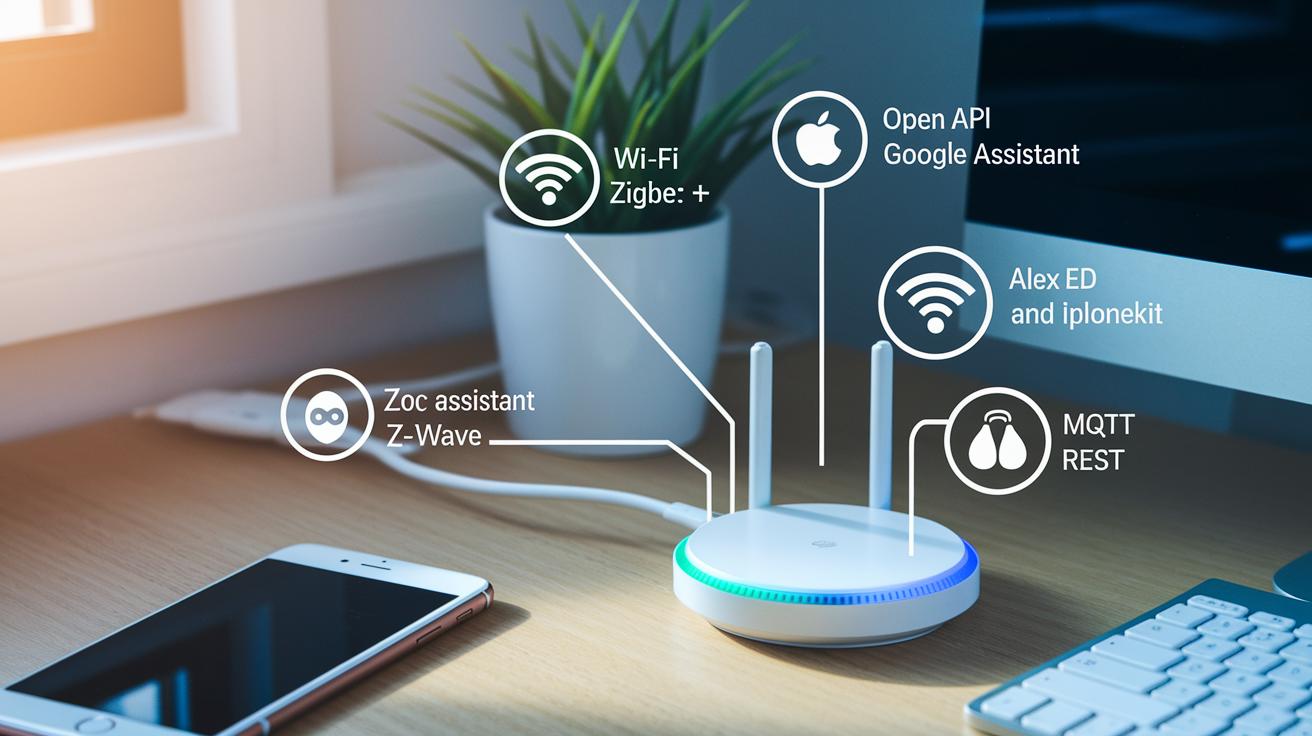
When setting up your smart devices, it’s important to make sure they talk well with your home system. We start by checking which wireless methods (like Wi-Fi, Zigbee, or Z-Wave) they use. This gives you a quick way to know if the appliance will fit into your smart home plan without any hiccups.
Next, consider the voice assistants or digital hubs you use, such as Alexa, Google Assistant, or HomeKit. Look for devices that allow open-API functions (tools that let you tweak how your system behaves) and support common data protocols like MQTT or REST. These standards ensure that your devices exchange data without any language barriers.
Lastly, don’t skip the official specs and online compatibility charts from the manufacturer. They help you avoid mix-ups, especially if you’re using features like mesh networking or cloud-to-cloud integration. Stay updated by checking any firmware changes and revised documentation so your network stays smooth and reliable.
Setting Up Your Home Automation Network for Smart Appliances
A reliable network is the heart of any smart home. Start with a solid Wi-Fi setup that gives you a steady connection and low lag. You can choose a mesh system or a strong router with features like channel selection and easy firmware updates. For extra tips, check out our router maintenance guide at https://circuitcritics.com?p=1692.
Next, add a central hub to your setup. This could be a smart speaker or a dedicated controller that keeps your devices talking smoothly. A hub simplifies control and helps your appliances work together. Make sure the hub supports the connection types you need, like Wi-Fi and Bluetooth.
Security is key. Use strong, unique passwords and consider upgrading to WPA3 for better protection (WPA3 is a newer, safer Wi-Fi security standard). You might also set up a separate SSID just for your smart devices. This keeps them apart from your personal devices and helps manage your network’s load.
Tweak your network by setting up Quality of Service (QoS) for your smart devices. This makes sure important commands get through fast. And keep your router and devices updated with the latest firmware to prevent any slowdowns.
Finally, think about where you place your router or mesh nodes. Put them in a central spot to give every corner of your home strong coverage. Even small changes in placement can keep all your smart appliances connected and ready to go.
Configuring and Linking Common Smart Appliances
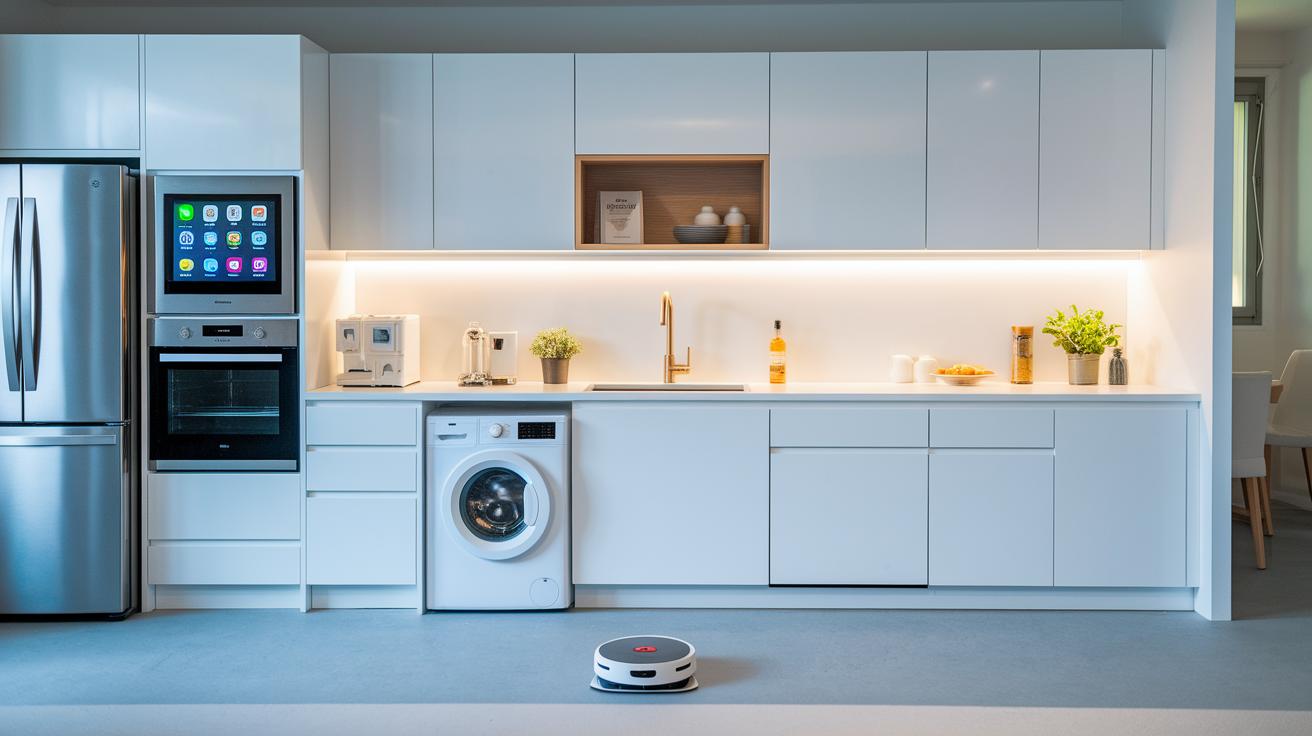
Adding smart appliances to your home system makes life easier. You can set up a smart fridge to talk to an inventory app and alert you if food might spoil. A smart oven lets you start warming up your meal from anywhere with a mobile control. You can also plan your laundry or change wash options on your smart washer using its own app. Even robotic vacuums join in by cleaning a set room or following a custom cleaning plan. These links save time and energy by reacting right away to your needs.
| Appliance | Integration Steps |
|---|---|
| Smart Refrigerator | Sync with inventory app, set up temp alerts |
| Smart Oven | Download app and create preheat routines |
| Smart Washer | Connect to hub, schedule laundry cycles |
| Robotic Vacuum | Add to hub, assign cleaning zones |
If you run into any pairing issues, check that the appliance has the latest firmware. Often, the newest update can fix connection problems. Try restarting both the appliance and your hub to get them talking again. Also, make sure the device stays close enough to your network and that you use the right pairing code in the app.
Even when the device seems connected, it's a good idea to test it. For example, change the fridge temperature or send a preheat command to the oven. These simple tests show you that your smart appliance is ready to follow your commands. Sometimes, tweaking the connection settings is all it takes to clear up any delays or issues.
Optimizing Energy and Performance in Integrated Smart Appliance Systems
Smart appliances help cut energy costs by adjusting how they work based on who’s home, the time of day, and the current energy rates. They use simple scheduling and smart load algorithms to power down devices when they sit idle and run heavy tasks when rates are lower. For example, a smart thermostat might lower the heat when no one is home and warm up before you arrive, saving you money and energy.
Digital dashboards and real-time alerts let you track how much energy you use and how well your appliances run. Cloud-based tools watch your system closely and send out a quick alert if something, like a fridge or washing machine, starts using more power than usual. This clear, updated info makes it easy to tweak your settings so your appliances always work at their best and keep energy bills down.
Troubleshooting Common Integration Issues and Maintenance Tips
If your smart home gadgets stop talking to your system, it is often just a tiny connectivity glitch. Try restarting the devices first. Check your network settings and make sure both the appliance and the hub have the latest software updates. Skipping these steps can lead to more time spent on troubleshooting and a lot of frustration.
Here are three tips to keep your firmware up to date and your network safe:
- Update the firmware regularly – Keeping your device software current fixes bugs and helps everything work together.
- Use two-factor authentication and create unique passwords for each device – This makes it harder for unwanted users to break into your network.
- Separate your smart devices from your personal gadgets – This simple move cuts down on the risk of unauthorized access and keeps your network running smoothly.
Physical upkeep matters too. Regular cleaning (see our electronics cleaning guide at https://circuitcritics.com?p=1709) helps remove dust from vents and panels that can cause overheating or lost connections. Check your cables and connectors often for any wear that might cause problems.
If you still have issues, try checking the signal strength near your hub or re-pairing your devices. These steps, along with regular updates and solid security practices, help keep your smart home setup reliable and efficient.
Future Trends and Best Practices in Smart Appliance Home Automation
Smart appliances are getting smarter. Thanks to AI-driven predictive maintenance (tech that detects issues early), your oven may soon notice when its parts wear out and even schedule its own checkup. Augmented and virtual reality interfaces are making remote control more fun and interactive. Plus, more tasks are now handled right at home with edge computing, which cuts down delays and makes devices more reliable. The use of standard IoT rules means your gadgets can work together better, letting you control everything from one easy-to-use mobile app.
Looking forward, these changes will make home automation faster, smarter, and easier. To keep your setup current, we recommend you:
- Regularly update your system to take advantage of new edge computing features.
- Use unified mobile apps to manage all your devices from one spot.
- Follow emerging IoT standards to ensure your devices stay compatible with future upgrades.
Final Words
In the action, we walked through the practical steps needed to connect your devices. The guide broke down appliance connectivity, checks for compatibility, network setup, hands-on pairing, and troubleshooting checks.
We also looked at energy optimization and upcoming trends. This wrap-up shows that integrating smart appliances with home automation can be straightforward and rewarding.
Every tip is backed by real-world testing. Enjoy greater control and efficiency with your smart home setup!
FAQ
How does ADT integration healthcare work?
The ADT integration healthcare blends security systems with health alert features. It helps connect monitoring services so that caregivers can receive timely alerts and offer quick help when needed.
What does the ADT Integrated Smart Solutions subscription offer?
The ADT Integrated Smart Solutions subscription bundles smart home and security services. It delivers a mix of hardware and remote monitoring tools to keep your home secure and connected.
What is Home Assistant?
The Home Assistant is an open-source platform that unifies smart gadgets. It lets you control and monitor a variety of devices from a single setup, making automation simpler.
How does ADT control integrate with Home Assistant?
The ADT control Home Assistant integration links ADT security with the Home Assistant platform. It allows you to set up automated routines and manage your system through one interface.
What is AlarmDecoder?
The AlarmDecoder is a tool that translates alarm panel signals into digital data. It lets you integrate your alarm system with home automation setups for streamlined monitoring.