

Can a slim laptop really pack the power you need? Dell's new ultrabooks say yes.
They mix fast processors (CPUs) and crisp, bright screens with a sleek design and battery life that goes the distance. We put them through heavy tasks and regular daily work and saw consistent, reliable performance.
This lineup is built for busy pros and creative minds who need both power and style. In our tests, these devices handled tough workloads and everyday apps with ease. The upgrades are simple yet effective, proving that power and thin designs can go hand in hand.
Dell ultrabooks Radiate Power and Style
Dell is shifting gears for 2026 with ultrabooks that blend strong performance, slim builds, and long-lasting battery life. Whether you lean toward a workhorse for heavy tasks or a light companion for everyday use, there’s a clear choice here.
The new lineup mixes fresh display technology with solid, durable designs and fast processors (the chip that handles your computer’s work). Each model comes with proven reliability backed by real-world tests. While some of the names may sound familiar, the upgrades mean you get standout screens, smart battery use, and a stylish form factor you can pick up in many stores.
| Model | Screen | Processor | Battery Life | Starting Price |
|---|---|---|---|---|
| Dell 14 Premium (DA14250) | 3.2K OLED | Intel Core Ultra | Long-lasting | High |
| Dell 14 Plus (DB14250) | 1600p IPS (90 Hz optional) | Intel Core Ultra | Up to 20 hrs | $699.99+ |
| Dell 16 Premium (DA16250) | 4K OLED | Intel Core Ultra with optional Nvidia RTX 5070 | Extended | High |
| Dell Inspiron 14 2-in-1 (7640) | 1600p mini-LED (90 Hz) | Intel Arc | Moderate | Mid-range |
For busy pros and creative minds, the Dell 14 Premium and Dell 16 Premium stand out with crisp screen visuals and strong internals for tougher tasks. If you want solid performance without a sky-high price, the Dell 14 Plus is a solid pick. And for those who love versatility, the Dell Inspiron 14 2-in-1 offers a convertible design and good graphics so you can work and play your way.
Dell XPS Ultrabooks: Performance and Design Highlights

The XPS 14 Premium is a very light laptop that weighs about 2.6 lbs and is only 0.57 inches thick. It has a sleek look made for people on the move, yet it packs strong components so performance isn’t compromised by its size. Its sturdy design has been tested to handle everyday travel.
The XPS series offers really good display choices. You can pick an OLED or an IPS screen. Both types hit 100% DCI-P3, which means you see bright, true-to-life colors. There are also touch and non-touch versions, so you get a screen that fits your style. Whether you’re diving into creative work or handling daily tasks, these displays and built-in graphics make everything look sharp.
When it comes to battery life and cooling, the XPS 16 Premium is a standout. It features an Nvidia RTX 5070 and vapor-chamber cooling (a system that spreads heat out evenly) to keep things cool even under heavy load. In tests, it lasted nearly two full days on a charge. This mix of power and smart cooling makes it a great pick for busy creators.
Dell Latitude Ultrabooks: Business-Focused Features
Dell’s Latitude series is built with hard work and smart ideas in mind. The Pro 14 Premium (PA14250) uses an Intel Core Ultra 200V and Copilot+ AI to speed up everyday tasks in busy office settings. The Latitude 7350 Detachable steps it up with a mini-LED touchscreen that shows 2,880×1,920 pixels and plenty of ports to hook up your favorite gadgets. Together, these features make long workdays run a little smoother.
Security and durability are big priorities here. Many models offer fingerprint readers, IR-based Windows Hello cameras (which help log you in with your face), and TPM 2.0 (a chip that safeguards your data). Plus, both the Pro 14 Premium and the Latitude 7350 Detachable come with a three-year on-site warranty. This gives you extra peace of mind, knowing your device is built to last.
Performance Specifications in Dell Ultrabooks
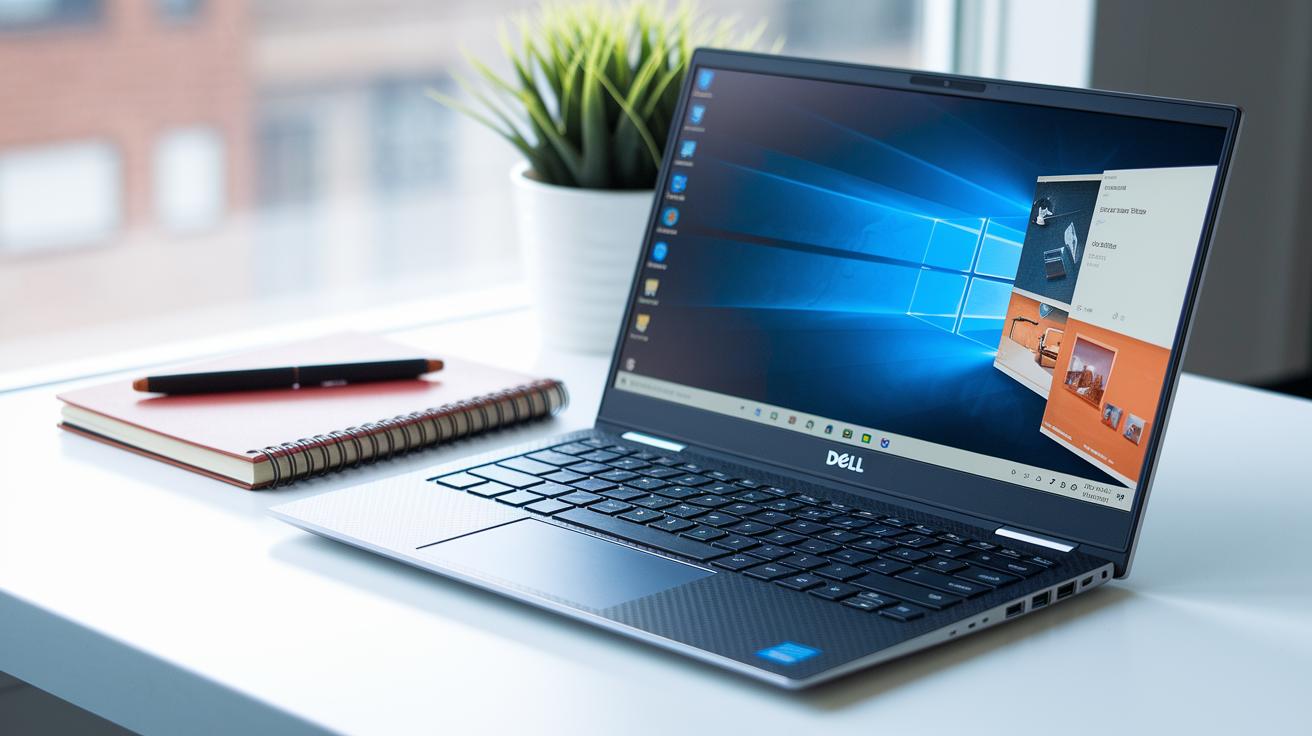
Dell ultrabooks pack powerful Intel Core Ultra processors found in both the XPS and Inspiron lines. Some models run on the Core Ultra 9 chip, which easily handles daily, demanding tasks. A few even offer Nvidia discrete GPUs, letting you do creative work or light gaming without adding bulk. In short, these machines offer fast performance and smart energy use, even with heavy multitasking.
Storage and memory work hand in hand with these processors. The SSDs can hit speeds above 3 GB/s with sizes ranging from 256 GB to 2 TB, so large files load quickly. You can also choose up to 32 GB of DDR5 memory, or even 256 GB of ECC memory (a type that helps keep your data error-free) in mobile workstations. Cooling is sorted by dual-fan or vapor-chamber setups, which keep things cool and quiet during long sessions.
Key points include:
- CPU families and their core counts
- GPU options, whether integrated or discrete
- SSD speeds and capacity tiers
- Types, speeds, and upgrade options for RAM
- Battery cell capacity and endurance
- Cooling design and noise levels
Dell Ultrabooks Display and Input Innovations
Dell ultrabooks deliver sharp visuals with several display choices. Some models feature up to 3.2K OLED screens that show deep blacks and bright colors. Others offer 1600p IPS panels with a smooth 90 Hz refresh rate. There are even mini-LED displays with HDR support that boost brightness and contrast. A few units use Gorilla Glass to stand up to daily wear.
These devices also shine when it comes to input features. Their keyboards have about 1.3 mm of key travel, backlighting for low-light typing, and customizable Fn keys for extra ease. The haptic trackpads, powered by Windows Precision drivers, give quick and accurate cursor control along with multi-gesture support. Many models also carry Windows Hello IR cameras for faster logins and improved safety. Together, these choices make for a very practical and pleasing user experience.
Pricing, Deals, and Availability of Dell Ultrabooks
The Dell 14 Plus is a solid, budget-friendly pick. We often see it on sale for around US$699.99 through Dell's outlet and major retailers. You can grab it quickly, whether shopping online or hitting up a retail store.
Refurbished Dell ultrabooks also make a lot of sense if you want to save some cash. They come with Dell-certified warranties and can cost 15–25% less. The XPS series often features seasonal or holiday discounts. This means you get high-quality tech without breaking the bank.
If you're buying for a school, office, or any large group, Dell has bulk programs that offer extra discounts. These deals are very handy for setting up computer labs or equipping staff. You get competitive pricing that works whether you’re an individual or a large organization.
| Option | Key Benefit |
|---|---|
| Dell 14 Plus | Cost-efficient, available from US$699.99 |
| Refurbished Models | 15–25% savings with Dell-certified warranty |
| Enterprise & Education | Bulk discounts for labs and office fleets |
How to Choose the Right Dell Ultrabook
When you pick a Dell ultrabook, choose one that fits how you work. If you do graphic design or video editing, go with a model that has a separate graphics card (discrete GPU) to give you better visuals and speed. For everyday use or school work, a 14-inch model with 8–16 GB of RAM usually hits the sweet spot. Think about the tasks you do day-to-day, and let that guide you instead of getting caught up in just the price or fancy features.
Next, check for the right ports and future upgrade options. Look for models with ports like Thunderbolt 4, USB-C, HDMI, and even a microSD slot so you can easily hook up to Dell docks and USB-C hubs. Make sure the ultrabook runs Windows 11 and that you can upgrade things like the RAM and storage later on. Some series like the XPS and Latitude have fewer user-accessible upgrade slots, so check if the device can handle your future needs.
Also, be sure the ultrabook fits with your current accessories. You want everything, external devices and add-ons, to work without any hiccups.
Dell Ultrabooks Frequently Asked Questions

Q: Which operating system do Dell ultrabooks come with, and will they support future updates?
A: Most Dell ultrabooks now come with Windows 11. They also get regular firmware updates (small software fixes) that add new features. This means your system stays current and works well for many years.
Q: What are the warranty options available for Dell ultrabooks?
A: Each ultrabook comes with a one-year warranty that includes on-site service. If you need extra coverage, you can opt for a three-year plan or even choose extended options. This gives you the flexibility to pick what's best for both personal and work use.
Q: Are there any discounts available for students?
A: Yes, Dell offers discounts specifically for students. You can get up to 15% off on select ultrabook models, making quality technology more affordable.
Q: How can users stay informed and get peer support for their Dell ultrabook issues?
A: The Dell Community Forum is a great place to start. It's an active space where users share tips on performance fixes, BIOS updates, and driver support. This real-life advice can help solve common issues and improve your experience.
Final Words
In the action, we broke down Dell ultrabooks by reviewing their standout specs, design elements, and pricing options geared toward everyday needs. We examined models with high-quality displays, powerful processors, reliable battery life, and thoughtful port selections. This guide gives you clear insights into which models suit creative workflows, daily computing, and business tasks. Every detail helps you steer clear of costly mistakes while ensuring you pick tech that lasts. Enjoy stepping into a setup that truly fits your world with dell ultrabooks.
FAQ
What Dell ultrabook and laptop models are available and how do their prices vary?
Dell offers a range of ultrabook models featuring i5 and i7 processors, with various designs and prices. Their models list—organized by year and pricing—helps buyers choose the right mix of performance and portability.
What does HP ultrabook mean in the market?
HP ultrabooks are slim, portable laptops built with premium features and performance for on-the-go tasks. They are crafted for users looking for a lightweight and stylish computer for daily use.
What are Dell laptops on sale at Costco like?
Dell laptops available at Costco offer competitive pricing and bundled deals. Shoppers find both ultrabook and traditional models, providing options that balance affordability and robust performance.
What is the difference between an ultrabook and a laptop?
An ultrabook is a slim, lightweight laptop designed for portability and long battery life, while conventional laptops typically provide more power and expandability but tend to have a bulkier design.
Do ultrabooks still exist?
Ultrabooks still exist and feature current processors, sleek designs, and long battery life. They remain popular among users who need a portable machine with dependable performance.
Is an ultrabook the same as a Chromebook?
An ultrabook is a full-featured Windows laptop built for high performance, while a Chromebook uses ChromeOS for web-based tasks. Their operating systems and app options suit different user needs.
What are considered the best ultrabooks?
The best ultrabooks combine strong performance, sleek design, and long battery endurance. Top picks include models from the Dell XPS and Latitude series, offering reliable performance for both work and leisure.
What are Dell PowerEdge server options and how do they differ from ultrabooks?
Dell PowerEdge servers, like the R750, R760xs, and T150 tower, come in both new and refurbished models. They focus on scalable business computing rather than the portability and design features found in ultrabooks.