

Ever wonder if your laptop could go from slow and warm to fast and cool? Liquid cooling makes that jump possible. Instead of relying on basic fans, it uses a pumped fluid that scoops heat away from key parts like the CPU (the brain of your laptop) and GPU (the chip that handles graphics). This lower temperature lets you work or play harder without the system slowing down. In this post, we explain how liquid cooling works and why it could be the upgrade you need to boost your laptop’s speed.
Liquid Cooling for Laptops Explained
Liquid cooling uses a liquid to take heat away from your laptop. This liquid moves heat faster than air, lowering peak temperatures by about 8–12°F. Think of it like this: just as some cooling pads move air in a controlled way, a liquid system sweeps heat away quickly to keep things running smoothly.
A basic liquid cooling setup has a few key parts. First, a pump pushes the coolant through channels. Then, tubing carries the liquid to a metal block that touches the CPU or GPU. This block soaks up the heat. Finally, a radiator spreads that heat into the air. Together, these parts keep your laptop cool even when it works hard, preventing performance drops caused by high temperatures.
Compared to air-cooling pads, which lower temperatures only a bit with fans, liquid cooling works more directly by touching hot components. Many gaming laptops now use integrated liquid cooling to handle high heat loads better.
Key parts in a liquid cooling loop include:
- Pump assembly
- CPU/GPU cold plate
- Tubing
- Radiator
- Reservoir
By moving heat away more efficiently, liquid cooling helps keep your laptop running steadily. This makes it a great choice for gamers and power users who need their systems to work at full strength during intense tasks.
Performance and Acoustic Advantages of Laptop Liquid Cooling

Liquid cooling works by using a special liquid that can hold more heat than air. This method can remove up to 20% more heat, helping keep your CPU and GPU cooler during tough tasks. In practical terms, when your laptop runs demanding programs or games, it holds steady performance with fewer slowdowns from overheating (a condition known as thermal throttling).
Because the liquid touches hot parts directly, it carries heat away fast. This lets the processor maintain high speeds for longer periods, which not only boosts performance but also keeps the system stable even under heavy use.
Another perk of liquid cooling is quieter operation. Since these systems let fans run at slower speeds, you get less background noise compared to traditional air cooling. This means you can enjoy a more peaceful work or gaming setup without sacrificing effective cooling. Plus, by controlling the temperature better, your laptop suffers less stress overall. The neat, well-sealed liquid loops ensure the fluid flows smoothly and quietly, delivering both strong performance and a quieter experience.
Comparing Liquid Cooling to Air-Cooling Pads for Laptops
When keeping your laptop cool, you have two main choices: air cooling pads and liquid cooling systems. We ran tests on both to see how they lower temperatures. Air cooling pads like the HAVIT HV-F2701 and Razer Cooling Pad typically drop temperatures by 8 to 12°F with their multiple fans. Meanwhile, a portable liquid cooler such as the Klim Tempest can reduce temperature by about 15°F through direct liquid contact.
We tested these coolers on laptops of different sizes and workloads. For bigger or high-performance gaming laptops that run really hot, a liquid cooler can help manage the heat better. But if you use a general-purpose or smaller laptop, an air cooling pad usually does the job well.
| Model | Cooling Type | Temperature Reduction |
|---|---|---|
| HAVIT HV-F2701 | Air Cooling Pad | 8–12°F |
| Razer Cooling Pad | Air Cooling Pad | 8–12°F |
| Klim Tempest | Liquid Cooling | ~15°F |
If your laptop tends to slow down or throttle when it overheats, you might notice better performance with a liquid system. However, if you’re tight on space or use your laptop for everyday tasks, an air cooling pad is a practical and proven choice. Choose based on your device’s size, heat output, and how you use it every day.
Installing a DIY Liquid Cooling System in a Laptop
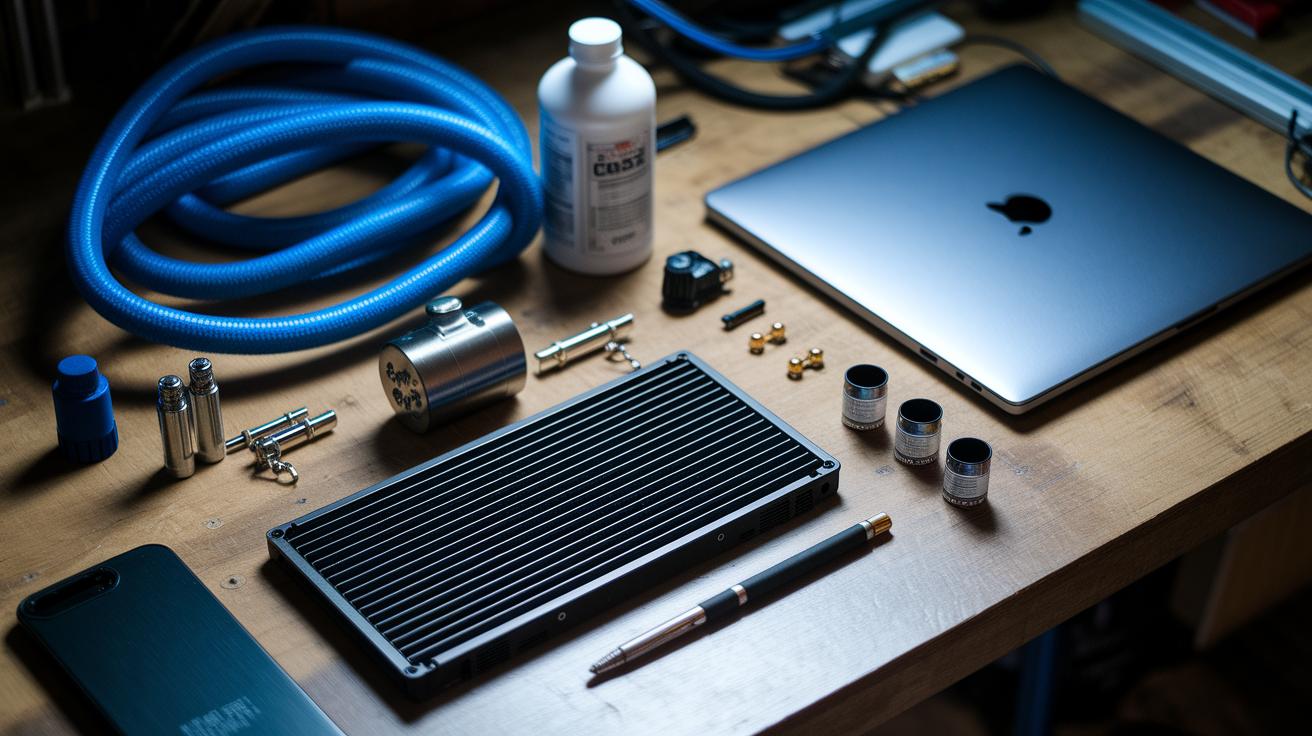
Required Tools and Components
To build your cooling system, you'll need a few basic tools. First, grab a small screwdriver set and pry tools to open your laptop safely. You'll also need a slim radiator made for tight spaces, a tiny pump to move the liquid (coolant) around, and a cold plate that touches the CPU/GPU to absorb heat. Add flexible tubing that can bend easily, strong fittings to keep connections tight, and a reliable coolant that carries heat away. Choose each part so that it fits your laptop's compact design.
Installation Process
Start by getting your laptop ready. Carefully open the case with your tools and note where every screw goes for easy reassembly. Clear the area around the CPU and GPU. Gently mount the cold plate against these chips to help pull the heat away. Since space is tight, work slowly to avoid damaging anything.
Next, set up the pump loop and route your tubing. Connect the micro-pump to both the cold plate and the slim radiator using your tubing and fittings. Arrange the hoses so they do not block other parts and allow the coolant to flow smoothly. Make sure to secure the tubes away from moving parts and cables, as even small obstructions can lead to problems in a cramped space.
Finally, test for leaks and verify the system. Fill the loop gently with coolant and run the pump for a short time. Check every connection carefully for any signs of leaking. Watching the coolant’s flow and pressure is key and can prevent costly damage later.
Cost Comparison: Liquid Cooling vs Traditional Pads
If you're eyeing cooling options, here's a quick look at the costs. Basic air cooling pads often cost between $20 and $100. They use several fans to lower the heat but only offer small temperature drops. On the flip side, portable liquid coolers, like the Klim Tempest unit, run at a midrange price and bring direct-contact liquid cooling to the table. This boost really shows when you're pushing your device hard.
If you like hands-on projects, you could try a DIY liquid cooling kit starting at about $150. That way, you build your own custom system. More advanced liquid cooling systems, with extra features and accessories, can cost over $250. Just remember, all these options come with long-term upkeep like coolant changes and seal checks. Spending a bit more now can improve your laptop's performance, but it's wise to plan for regular maintenance.
Case Studies: Liquid Cooling Integration in Gaming Laptops
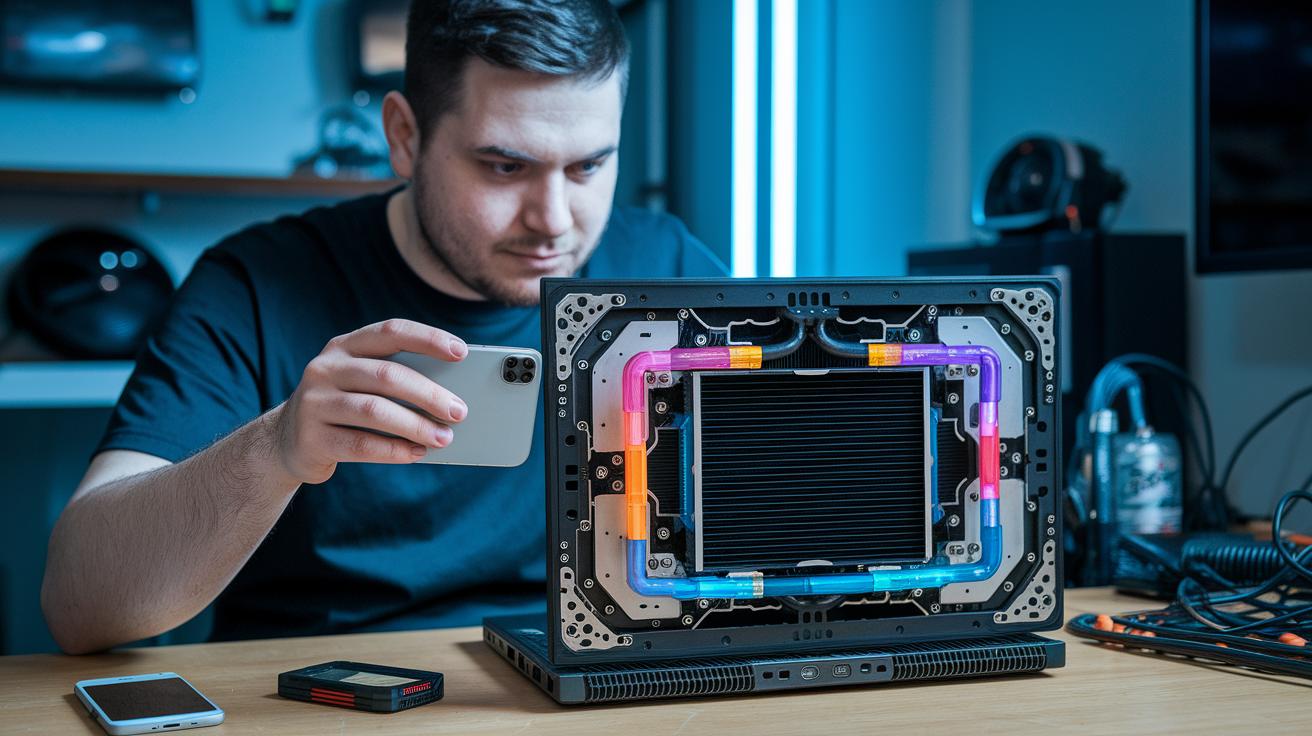
Gamers and modders have gotten creative by turning gaming laptops into desktop-like cooling machines. They set up liquid cooling loops that tap into the CPU and GPU by adding liquid blocks (metal parts that transfer heat), pumps, and radiators. Many of these mods keep CPU temperatures below 70 °C during long gaming sessions, proving that liquid cooling can be a reliable way to run your laptop cool.
Some solutions use portable cooling devices instead. For example, external units like the Klim Tempest come with a 4,000 RPM fan that easily clips onto your notebook. This setup is perfect if you value mobility while still keeping your system cool without opening up your laptop.
| Setup | Description |
|---|---|
| LLano V13 on a 21″ notebook | Handles larger laptops with strong, steady cooling. |
| Klim Tempest on a 15″ model | Offers a portable and simple way to cool your system. |
| Custom internal loop on a 17″ gaming laptop | Uses a complete liquid cooling loop to maintain safe CPU temps under long sessions. |
These examples show that a little technical know-how can help you push your gaming laptop's performance by keeping it cool, whether with an internal mod or a handy external solution.
Maintenance and Troubleshooting for Laptop Liquid Cooling Systems
Keeping your laptop cool means taking care of its liquid cooling setup often. A loose hose or fitting can lead to small leaks that might turn into big problems later. If the pump stops working, the coolant flow drops, and this can push your CPU or GPU to overheat during heavy use. Foam seals in cooling pads can wear out in as little as 6–12 months, letting air mix with the coolant and lowering efficiency. Regular checks catch these issues before they cause trouble.
Routine care is key to a stable cooling system. We often top off the coolant and inspect seals as the parts age. Our tests show that spotting pump drop issues or leaks early makes a real difference. For step-by-step details, try our laptop maintenance checklist. To simplify your upkeep, consider doing these tasks:
- Inspect hoses and fittings
- Check the coolant level
- Clean radiator fins
- Test pump flow
- Replace worn seals
- Monitor system temperatures
Doing regular checks can help prevent leaks and pump failures. By keeping up with these simple tasks, you'll make sure your cooling loop stays effective and avoid costly damage from unchecked issues.
Emerging Trends in Mobile Liquid Cooling Technology

Microfluidic loop designs are starting to reshape how laptops stay cool. Early tests with tiny fluid channels show they can move heat fast while keeping the system compact. The designs use exact pathways to send coolant directly to where heat builds up, and early trials indicate they handle heavy tasks well.
Researchers are also checking out new coolants like nanofluids (liquids mixed with minuscule particles). These special fluids can hold more heat and flow smoother under tough conditions. In tests, nanofluids removed up to 20% more heat than older coolants, and they stayed steady over long periods.
Future laptop designs might see these cooling systems in super-slim builds without cutting into port space or style. Engineers are experimenting with tight layouts that bring liquid cooling closer to the key parts inside. Early R&D from major makers hints at a soon-to-come world where great cooling and strong performance work side by side.
Final Words
In the action we broke down how liquid cooling for laptops works, from heat transfer methods and key loop elements to comparing fluid loops against air-cooling pads. We examined performance boosts, cost trade-offs, DIY installation steps, and real-world case studies. We also addressed routine checks and emerging projects. This guide gives you a clear picture of benefits, budget needs, and practical use. Enjoy the confidence that comes with knowing your device can run cool and quiet while performing at its peak.
FAQ
What do online reviews on Reddit and Amazon say about liquid cooling for laptops?
The reviews suggest that liquid cooling can lower temperatures significantly, but users on both Reddit and Amazon warn that installation and maintenance may be challenging. They appreciate the performance boost, especially for gaming laptops.
What liquid cooled laptop models are available from ASUS, XMG, and Eluktronics?
The models from ASUS, XMG, and Eluktronics are known for integrating liquid cooling systems that enhance thermal management and reduce fan noise, making them a popular choice for gamers and performance enthusiasts.
What is a laptop cooling pad and how does it help?
A laptop cooling pad is an external device that boosts airflow around the computer, lowering peak temperatures typically by 8–12°F. It helps manage heat without needing any internal modification.
How can I set up DIY liquid cooling for my laptop?
DIY liquid cooling involves assembling a kit that includes a pump, tubing, a cold plate, and a radiator. The project requires careful disassembly, proper tubing routing, and leak testing, ideal for those experienced with laptop modifications.
What is the best liquid cooled laptop?
The best liquid cooled laptop is usually one that efficiently manages heat with a direct-contact liquid block, delivering improved thermal performance and quieter operation for demanding tasks like gaming.
Can a laptop have liquid cooling, and are water cooled laptops worth it?
Laptops can indeed be equipped with liquid cooling systems, either built-in or added externally. Water cooled laptops are worth it for high-performance needs as they reduce thermal throttling and maintain stable operation.
What are the disadvantages of liquid cooling in laptops?
Liquid cooling in laptops can add extra weight, increase costs, and require more maintenance, including leak checks and coolant refills, which might make them less suited for everyday or non-intensive use.
Do cooling fans actually work for laptops?
Cooling fans do work by enhancing airflow and reducing temperatures; however, while effective for regular use, they may struggle to control heat under heavy gaming loads compared to more advanced liquid cooling methods.