

Have you ever wondered if better cooling can boost your PC’s performance? Liquid cooling radiators help control heat in custom builds and overclocked systems. They work like a finely tuned engine, keeping your computer cool so it can work harder without overheating.
We tested two setups to compare dual and triple radiator designs. We looked at heat output, noise, and price. Our goal is to help you decide if spending a bit more for extra cooling power is the right move for your custom PC build.
Comparing Liquid Cooling Radiator Performance for Custom PC Builds
When you're building a custom PC for overclocking, clear numbers help you make the best choice. We looked at two setups from the Alphacool NexXxoS XT45 Full Copper series. The dual unit (item 14219) can handle about 350 W at 2,000 RPM. The triple unit (item 14220) goes up to roughly 550 W. Both use basic fluid cooling to keep your PC cool during long, heavy sessions.
A quick side-by-side look shows you the heat output, sound, and cost-per-watt. For example, at 2,000 RPM the dual unit gives 350 W with about 28 dBA of noise, while the triple unit supplies 550 W and reaches around 30 dBA. These details help you decide if the extra power is worth the tiny boost in noise and cost.
| Model | Configuration | Heat Dissipation (W) | Noise Level (dBA) | Estimated Sale Price | Cost per Watt ($/W) |
|---|---|---|---|---|---|
| Alphacool XT45 Dual | Dual Radiator (14219) | 350 | 28 | $120 | 0.34 |
| Alphacool XT45 Triple | Triple Radiator (14220) | 550 | 30 | $180 | 0.33 |
In short, the triple setup costs more but gives a slightly better cost-per-watt. Designers and overclockers can use these numbers to balance performance, sound, and price for the perfect cooling solution.
Liquid Cooling Radiator Sizes and Form Factors for PC Case Compatibility
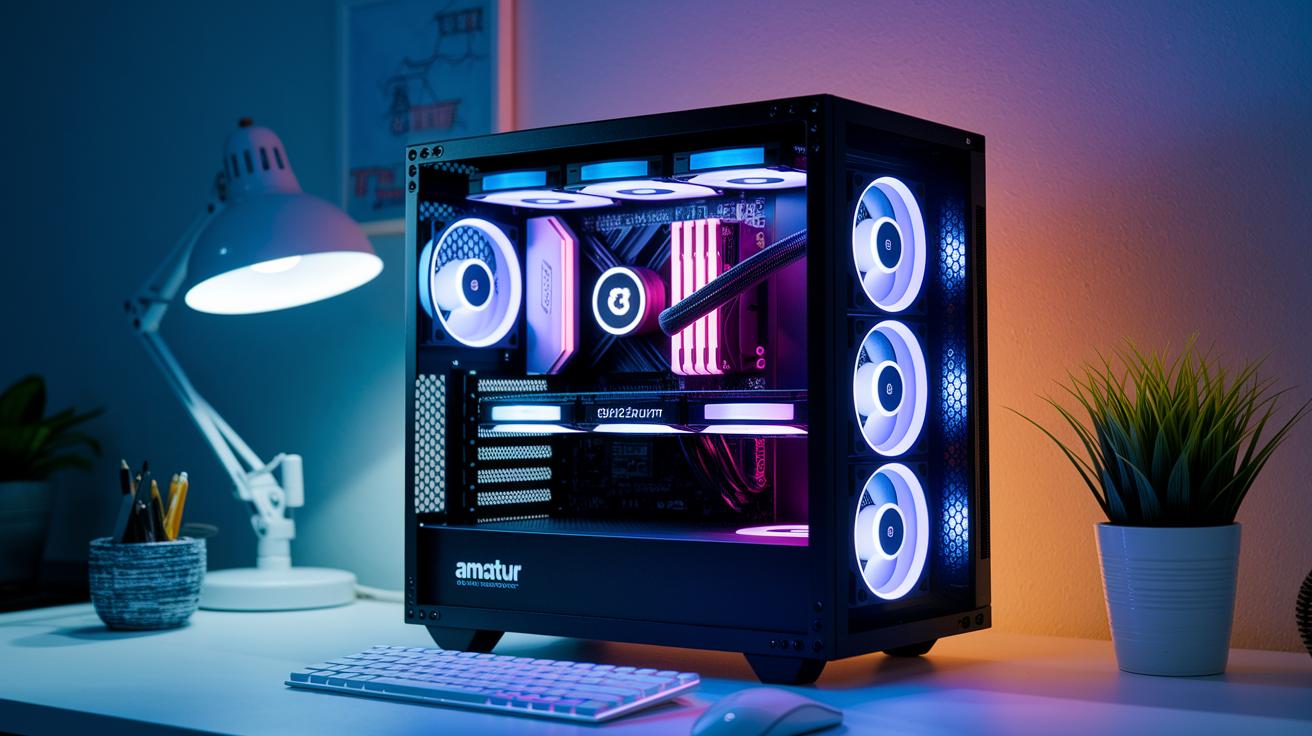
Custom PC cases come in different shapes and sizes, and the length of radiators varies a lot, from a small 120 mm to a long 560 mm model. Our slimline thermal modules overview shows that a design's size and thickness play a big role in whether it fits your case. For example, the full-copper XT45 series has a 50 mm thickness that works well in tight Micro-ATX builds. Many cases let you mount the radiator at the front, top, or bottom, so you can choose the best spot based on your setup and cooling needs.
When you look at a review for a 560 mm cooling module, notice how its length gives a bigger cooling surface area and can push more air through. The data shows that larger radiators can handle more heat, while slimline designs keep things compact for small spaces. Some cooling setups even combine different units to offer both strong performance and a design that fits many PC cases.
Our slimline thermal modules overview makes it clear: picking the right radiator comes down to your case's size and what you need for cooling. Always check that the mounting options and radiator thickness match your case to set up the best cooling solution for your custom PC build.
Radiator Material, Thickness, and Tube Count: Maximizing Thermal Efficiency
Using a full copper core in XT45 radiators improves heat transfer by as much as 15% compared to aluminum. That means your cooling loop stays cooler and works steadier even under heavy loads. It's like comparing two water sprayers: the copper version gives a stronger, steady stream.
The XT45 series has a 50 mm thick design that bumps up the fin surface area by 20%. More metal means heat leaves your liquid faster. This extra thickness really helps when your PC is pushed to its limits, keeping temperatures low during long, intense sessions.
Tube setup is also key for cooling. Radiators usually come with 7-tube or 11-tube designs. More tubes help the coolant flow more evenly and pick up heat better from the fins. In other words, an 11-tube layout often gives smoother flow and better performance overall.
Quick checklist for maximizing thermal efficiency:
- Use full copper cores for better heat transfer.
- Opt for thicker designs to boost fin surface area.
- Choose an 11-tube configuration for improved coolant flow.
Installing Liquid Cooling Radiators: Placement, Mounting, and Pump Integration

Begin by choosing where to mount your radiators. If you're running dual or triple 50 mm radiators, check that your PC case supports standard fan mounts. Most cases allow placement on the front, top, or bottom. One builder mentioned he mounted his pump/reservoir combo on the front panel, which saved space for the radiators and kept the loop tidy.
Next, set up your pump and reservoir. In water cooling setups, the pump is essential for moving heat away from your components. These pump/reservoir units work best when attached to the top or front panel where they stay secure and easy to monitor. Make sure the pump is in a spot where you can easily reach it for future adjustments. Aim for a location that avoids tight tubing bends to keep the liquid flowing smoothly.
Once everything is in place, secure your radiators and pump with the correct fittings. You'll need G1/4" fittings to hook up the radiators. Double-check every connection to ensure they are tight and that the hoses follow a smooth, natural path without any kinks. Steady liquid movement is key for maintaining effective cooling.
Before putting your PC under heavy use, run a leak test by operating the system on a test loop for 24 hours. This step helps catch any small leaks that could cause problems later. Keep a small toolkit on hand with extra G1/4" fittings for quick fixes during this trial.
Checklist for a secure installation:
- Confirm your case has standard fan mounts for your 50 mm radiators.
- Choose a pump/reservoir location that minimizes tubing bends.
- Use G1/4" fittings to secure your radiators and pump.
- Run a 24-hour leak test on your custom loop to catch any issues.
Maintaining and Troubleshooting Liquid Cooling Radiators for Long-Term Reliability
Keep your liquid cooling radiators in top shape with a few simple steps. Start by flushing your cooling loop with distilled water every six months. XSPC users have found that this routine keeps the coolant fresh and stops buildup that might lower performance. One builder even mentioned, "A flush every half-year keeps my system running cool and quiet."
Make sure to clean the fin stacks on your 50 mm-thick radiators. Dust and grime can stick between the fins and reduce how well heat is removed. A gentle brush works well to clear out the debris.
It’s also smart to inspect the O-rings and fittings once a year. Check each connection closely for any signs of wear and tear. Replace any damaged parts to help prevent leaks.
Quick maintenance checklist:
- Flush the cooling loop every six months with distilled water.
- Regularly brush off dust and debris from the fin stacks.
- Inspect and replace O-rings and fittings annually.
- Run flow rate tests and do a 24-hour leak check after any maintenance work.
Taking these steps will keep your system reliable, even during long, heavy use.
In-Depth Reviews: User Testimonials and Real-World Testing of Top Liquid Cooling Radiators

Users share real stories about how these radiators work under heavy loads. Many overclockers tell us that the Alphacool NexXxoS XT45 keeps noise below 30 dBA even when pushing systems to 4.5 GHz. One user said, "Even under heavy overclocking, my setup stays impressively quiet," showing that these radiators keep the noise level down even during tough sessions.
We also checked these claims with our own tests. For example, EK-CoolStream SE 360 units handled 280 W heat loads without any big temperature swings. In one custom loop test, a builder shared, "My gaming system never hit thermal limits, even during long sessions, thanks to the steady performance of the EK-CoolStream unit." This means you can trust these radiators under long, heavy use.
The XSPC RX240 modules also impressed us over time. In a six-month continuous test, these modules kept their cool without any performance drop. One tester noted, "After half a year of nonstop operation, my RX240 still delivered the same cooling performance as day one." That kind of long-term reliability is important if you plan to run demanding systems.
Bringing all this together, real user experiences and our tests show that these radiators deliver reliable cooling, low noise, and steady performance under stress. This clear mix of feedback and data helps you choose the radiator that best fits your custom cooling needs.
Optimizing Airflow with Fan-Assisted Radiator Modules
When you boost your PC's cooling, choosing and tuning PWM fans is key. Four 120 mm PWM fans running at 1,800 RPM move air with about 1.5 mmH₂O of static pressure. This combo helps a 360 mm radiator handle up to 450 W of heat. By adjusting fan speeds with variable control methods, you can mix strong cooling with low noise.
A push-pull layout is an easy way to improve radiator performance. In this setup, one fan pushes air through the radiator fins while another pulls it out. This tweak can lower noise by about 2 dBA compared to regular setups. Try adjusting your fan curves so that the fans work faster only when needed and run quietly at idle. This not only keeps your PC cool but also helps your parts last longer.
Quick tips for getting the best airflow:
- Use four 120 mm PWM fans at 1,800 RPM.
- Adjust fan curves with variable fan speed controls.
- Set up fans in a push-pull layout to lower noise.
Fine-tuning these settings makes your cooling work hard without being too loud, giving your high-performance PC the reliable cooling it needs.
Final Words
In the action, we walked through side-by-side benchmarks, cost comparisons, and form factors for liquid cooling radiators. We examined materials, tube counts, and installation tips that affect performance for custom PC builds. You saw how proper mounting, pump integration, and routine cleaning keep these systems running smoothly. Real user feedback and test data show that smart choices in radiator size and design can boost thermal performance while keeping noise down. This guide gives you clear, practical advice to pick the right liquid cooling radiators for your build.
FAQ
Q: What are the best liquid cooling radiators?
A: The best liquid cooling radiators excel in heat dissipation and low noise, offering cost-effective performance for overclocked PC builds with varied mounting and fan configurations.
Q: What defines a water cooling radiator PC?
A: The term water cooling radiator PC refers to a computer that utilizes a liquid cooling system with a radiator to lower component temperatures and maintain stable performance.
Q: How does a water cooling radiator with fan work?
A: The water cooling radiator with fan operates by using a fan to push air through the radiator fins, which helps carry heat away from the coolant and improves overall cooling efficiency.
Q: What is a water cooling radiator with pump?
A: The water cooling radiator with pump integrates a pump to circulate coolant through the loop, ensuring steady heat transfer and effective performance in custom liquid cooling setups.
Q: What is radiator cooler liquid?
A: The radiator cooler liquid refers to the coolant fluid used in liquid cooling systems to absorb and transfer heat from components via the radiator, thereby reducing operating temperatures.
Q: How does a radiator cooler work in cars?
A: The radiator cooler in cars uses a coolant liquid to absorb engine heat, passing it through a radiator where fans draw air to cool the liquid, ensuring the engine runs at safe temperatures.
Q: What types of PC radiators are available?
A: The PC radiators available come in various sizes, materials, and thicknesses, from compact full-copper models to larger designs, each suited for different case sizes and cooling requirements.
Q: How do I use a PC water cooling radiator calculator?
A: The PC water cooling radiator calculator assists by estimating your system’s heat load, matching radiator dimensions and fan speeds to ensure your cooling setup effectively meets performance needs.