

Ever forgotten your keys when you’re in a hurry? Keyless entry locks can update your home security without the hassle of carrying physical keys. These smart locks let you unlock your door using your fingerprint, a PIN code (a secret number you enter), or even a voice command. This means you can easily secure your home and avoid the stress of making spare copies. In this post, we break down the benefits of switching to a digital system and show how it fits into a busy lifestyle while adding real security to your home.
The Essential Benefits of a Keyless Entry Smart Lock
Switching to a keyless entry smart lock brings many practical benefits. You can choose from fingerprint scanning (a quick tap), PIN codes, a smartphone app, or voice commands. Each option fits your routine, whether you're in a hurry or want hands-free access.
| Unlocking Method | Benefit |
|---|---|
| Fingerprint Scan | Quick tap unlock |
| PIN Code | Easy and secure access |
| Smartphone App | Remote control of your lock |
| Voice Command | Hands-free operation |
These smart locks have built-in Wi-Fi, which means you can check and control your door status from anywhere. Imagine wrapping up work and locking the door with a tap on your phone. Auto-lock features, low-battery alerts, and even emergency USB ports help keep you secure. Most battery-powered models last three to six months on one charge.
Prices typically range from $100 to over $200, depending on the features and quality of materials. They work well with smart home systems like Alexa, Google Home, HomeKit, and IFTTT, so you can easily add them to your existing setup. Their design not only boosts door security but also gives a modern, sleek look to your entryway.
Remember how heavy metal keys used to be and how easy it was to lose them? Modern keyless systems simplify your life and increase security. It’s good to know, though, that some retrofit models might face issues like shorter battery life or cybersecurity risks.
Keyless Entry Smart Lock Types and Access Methods

Smart locks come in two main styles. Some locks replace your deadbolt completely, while others work with your existing one to add smart features. These locks offer different ways to unlock your door to meet your needs. For example, many models like the Ultraloq Bolt and Kwikset Halo Touch use fingerprint scanning to let you in. Others, such as the Lockly Visage Zeno, use facial recognition to check who you are. Then there's the TCL D1 Pro, which uses palm vein scanning for extra security.
Some smart locks make it simple with a touchscreen or a PIN code. You can also use an NFC card (a small device for contactless access) or control them with your smartphone over Bluetooth or Wi-Fi. Voice commands may work too, which means you can open the door without even touching the lock. And don't worry, most smart locks still let you use a regular key in case something goes wrong.
Here are the eight methods you might see:
- Fingerprint scanning
- Facial recognition
- Palm vein recognition
- Touchscreen keypad/PIN
- NFC card/fob
- Smartphone Bluetooth/Wi-Fi app
- Voice-activated access
- Traditional key override
Installation is pretty quick, usually taking about 10 to 25 minutes if your door is ready to go.
Top Keyless Entry Smart Lock Models and Specifications
We looked at six smart locks that offer solid remote unlock options and WiFi security for your home. Each lock brings something unique while keeping everyday use straightforward. For instance, the Ultraloq Bolt Fingerprint shows off a tough zinc alloy finish. It works with fingerprints, keypad codes, and a physical key. Its built-in Wi-Fi syncs with Apple HomeKit, Alexa, and Google, and its Express Mode helps your iPhone stay powered even when battery levels drop.
The Lockly Visage Zeno series makes unlocking really smooth with dual infrared cameras for both face and fingerprint scans. This lets you unlock hands-free through Apple HomeKey, even in low light. The August Wi-Fi Smart Lock fits right with your current door hardware. Its retrofit style has smart sensor alerts and auto-locking features, but be aware that its battery might not last as long as some others.
Eufy FamiLock S3 Max ups the game by pairing a 2K video doorbell with palm scan and a touchscreen keypad. It comes with 15.5GB of built-in storage that you can expand, making it easy to manage digital keys. The Kwikset Halo Touch offers a classic look along with modern fingerprint, phone, and voice unlock options. It keeps things secure but only works with its own ecosystem.
Finally, the TCL D1 Pro offers a different twist with palm vein scanning. It also uses a keypad, NFC card, and voice commands, making it a good choice if you want a versatile and affordable smart lock.
| Model | Key Features | Price Range | Compatibility |
|---|---|---|---|
| Ultraloq Bolt Fingerprint | Fingerprint, keypad, keyway unlock; built-in Wi-Fi with Express Mode | $130 (Mid-range) | HomeKit, Alexa, Google |
| Lockly Visage Zeno | Face and fingerprint scanning; dual infrared cameras; hands-free unlock | $348 (Premium) | Apple HomeKey |
| August Wi-Fi Smart Lock | Retrofit design; sensor alerts; auto-lock; built-in Wi-Fi | $139 (Affordable) | Alexa, Google, HomeKit |
| Eufy FamiLock S3 Max | 2K video doorbell; palm scan; touchscreen keypad; 15.5GB storage | $250 (High-end) | App controlled lock |
| Kwikset Halo Touch | Fingerprint, phone, voice unlock; classic design | $200 (Mid-range) | Proprietary ecosystem |
| TCL D1 Pro | Palm vein scanning; keypad; NFC card; voice access | $100 (Budget) | General smart home integration |
Installing Your Keyless Entry Smart Lock: Steps and Tips
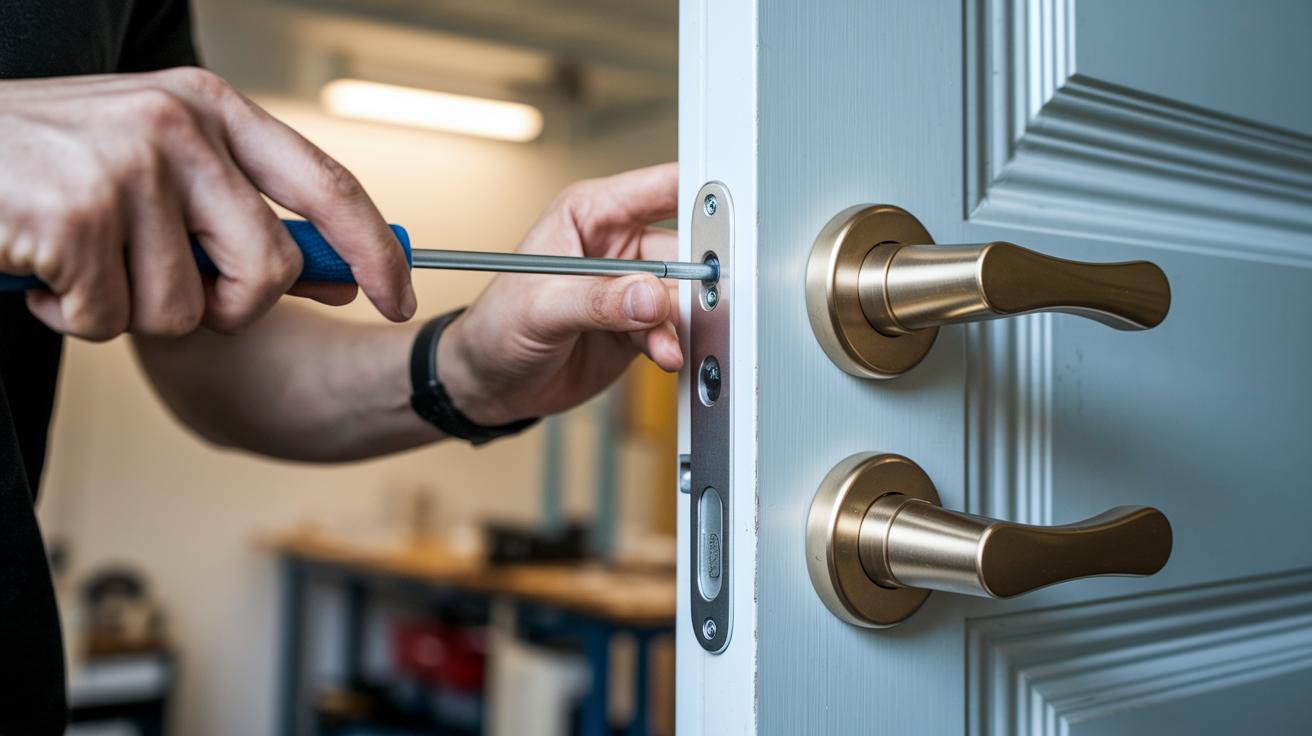
Start by gathering a Phillips-head screwdriver and all your new lock parts. This job usually takes 10–25 minutes if your door is ready for a keyless upgrade. First, take out your old deadbolt. Then, attach the new backplate and securely mount both the outside and inside parts. This careful process helps every piece fit just right.
Next, it’s time to set up the digital side. Download the maker’s app and follow its instructions to hook up the lock using Bluetooth or Wi-Fi. Some models might need a hub to work wirelessly. Once connected, register your fingerprints or set your PIN codes to choose how you unlock your door. These smart locks run on batteries and offer easy access.
Lastly, check out the safety features and updates. Your lock might include options like emergency USB charging or extra battery terminals to keep it powered during outages. The app may also prompt you to update the firmware (the software that runs your lock), which fixes security issues and can add new features. This blend of hands-on setup and digital configuration makes sure your lock stays safe and up-to-date.
Keyless Entry Smart Lock Security and Privacy Considerations
Keyless smart locks work hard to keep your home safe. They use wireless signals secured with AES-128/256 encryption (a way to scramble data so hackers can't read it). Every time you unlock the door, the system saves a record so you know who accessed it. Low battery alerts show up on the app and through LED lights, helping you avoid any lockout surprises. While no lock is 100% foolproof, regular firmware updates patch new vulnerabilities and boost security.
Encryption and Data Protection
Smart locks protect your data with strong encryption like AES-128/256. This means your digital keys and unlock events stay secret as they travel between the lock and the app. Regular updates act like routine checkups that keep your lock running safely and reliably. Plus, every unlock gets logged so you can easily spot any odd activity.
Two-factor and biometric authentication
For extra safety, many smart locks use two-factor authentication. This combines a PIN or app approval with a biometric check, such as a fingerprint or face scan. In plain terms, a thief would need both your code and your unique physical trait to break in. This layered security helps stop common issues like shared or guessing codes, keeping your home and personal data safe.
Integrating Keyless Entry Smart Locks with Your Smart Home

Smart locks connect with big platforms like Amazon Alexa, Google Assistant, Apple HomeKit, and Samsung SmartThings. Top models let you automate tasks such as locking the door at night and send alerts when the door is unlocked, when the battery is low, or when a door sensor is triggered. You can even say, "Unlock my front door" to your voice-controlled speakers and watch the system react right away.
These locks combine easy setup with smart automation. You can add custom routines or use IFTTT (an online service that creates custom triggers) to build your own commands. Some locks have built-in Wi-Fi for a direct cloud connection, while others work through an extra hub. Either way, you get all your smart home access in one clear view.
| Platform | Unique feature |
|---|---|
| Samsung SmartThings | Offers detailed automation routines |
| IFTTT | Custom event triggers |
Key Factors to Consider When Choosing a Keyless Entry Smart Lock
When you look for a keyless smart lock, there are a few things to think about. First, decide what type of lock you need. Do you want a retrofit that fits your current door, or are you ready for a full replacement that brings all the smart features? Next, check how it connects. Some locks use Bluetooth, while others rely on Wi-Fi so you can control them from afar.
Also, make sure the lock has a good power backup. Many models include a USB port or extra battery terminals to keep your door secure when the power goes out. Think about guest code management too. A smart lock that offers temporary or dynamic access codes lets you give visitors timed entry without lowering your security. Battery life is important, as most models use batteries that last from three to six months. Finally, consider the user interface. A lock with a touchscreen may be easier to manage than one that works only via a smartphone app.
A quick checklist:
- Lock type (retrofit vs full-deadbolt)
- Connectivity (Bluetooth vs Wi-Fi)
- Power backup (USB or external battery terminals)
- Guest code management (temporary/dynamic codes)
- Battery life (3 to 6 months)
- User interface (touchscreen vs app only)
Final Words
In the action, we broke down how a keyless entry smart lock blends convenience, security, and hands-on tech. We covered the benefits, access methods, model specs, installation tips, and smart home integration. We also weighed the trade-offs before helping you choose the right device. This guide gives you a clear path to upgrade your home security entry without second-guessing. Enjoy the added peace of mind knowing your door protection is in capable hands.
FAQ
Frequently Asked Questions
What is the best keyless entry smart lock?
The best keyless entry smart lock offers multiple unlocking methods, smart home integration, and ease of use. Models such as Ultraloq, August, and Yale provide secure access while balancing battery life and cost.
How does the keyless entry smart lock app work?
The keyless entry smart lock app controls the lock remotely. It lets you monitor door status, send unlock commands, receive low-battery alerts, and update firmware through Wi-Fi or Bluetooth connections.
What is a keyless entry door lock with handle?
A keyless entry door lock with handle combines smart lock features with a traditional door handle design, offering electronic access through methods like fingerprints, PIN codes, or app control in one streamlined unit.
What do keyless entry smart lock reviews say about security and convenience?
Reviews show that keyless entry smart locks offer a mix of biometric and app-based access, easing entry while providing solid home security; some units may have shorter battery life or need regular firmware updates.
Where can I find door smart locks on sale?
Door smart locks on sale are available at major online retailers, home improvement stores, and directly from manufacturers, especially during seasonal promotions and special online shopping events.
What should I know about August Smart Lock models?
August Smart Lock models offer retrofit designs with built-in Wi-Fi, auto-lock features, and sensor alerts. They allow remote control via an app but may have shorter battery life compared to some other models.
What features do Yale smart locks offer, like the Yale Approach, Assure Touchscreen Deadbolt, and Assure Lock 2 models?
Yale smart locks include Wi-Fi connectivity, touchscreen keypads, and Bluetooth options. They come in various types such as deadbolts and lever locks, providing secure, user-friendly access for different door setups.