

Have you ever stopped to check if your phone or laptop is truly clean? We can miss the hidden dirt and germs that settle on our gadgets day after day. Regular cleaning clears away these unseen hazards and keeps your devices running smoothly.
This guide explains a safe, step-by-step process to clean everything, from your smartphone to small circuit boards. You don't need fancy tools, just common items like a microfiber cloth and a mild cleaning solution. A little routine care goes a long way in keeping your gear both sparkling and safe to use.
Electronics Cleaning Procedures: Step-by-Step Device Care
Always turn off and unplug your device before you start cleaning. For your smartphone, we suggest doing a quick daily wipe. Use a microfiber cloth dampened with 70% isopropyl alcohol (a fast-evaporating disinfectant) to clean the screen and case. This method helps remove dust, dirt, and germs. For example, gently press the damp cloth on your phone until the grime fades away.
When cleaning laptops and tablets, make sure you power them down and disconnect from any power source. Start by using compressed air held about 2–3 inches away to blow dust out of vents and ports. Then, gently wipe the keyboard, screen, and outer casing with a microfiber cloth. Think of it as a mini deep clean, much like tidying up your desk.
For monitors and TVs, use either a dry microfiber cloth or one slightly moistened with distilled water. Steer clear of harsh chemicals like bleach or abrasive cleaners since they can hurt the screen’s coating, much like the wrong cleaner could damage your glasses.
Cleaning circuit boards demands extra care. First, remove loose dust with a soft brush or compressed air. Then, use a lint-free swab dipped in 70% isopropyl alcohol to dab away stubborn spots. Be sure to let the board air-dry completely, waiting at least 30 minutes ensures all moisture evaporates before you reconnect power.
Follow these easy steps for a safe and effective electronic cleaning routine. Regular care not only extends your device's lifespan but also keeps your gear looking and working great over time.
electronics cleaning guide: Devices Sparkling and Safe
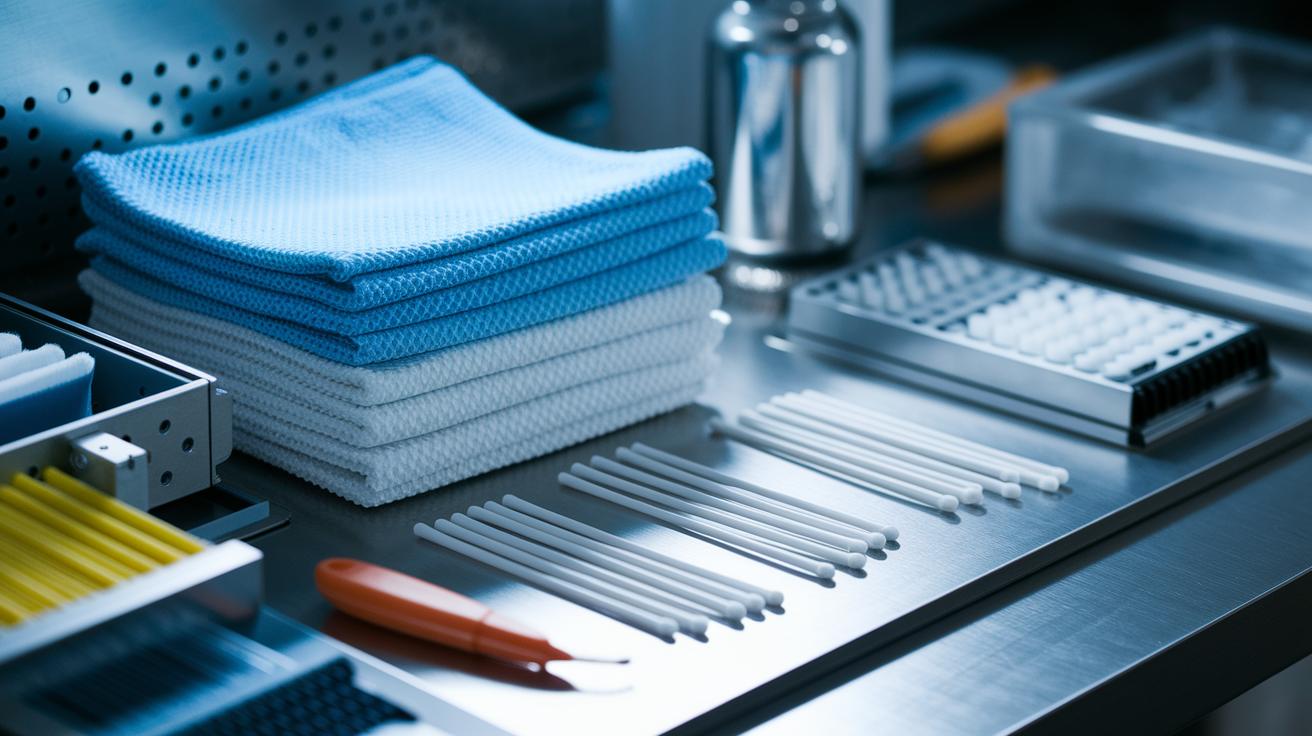
For a safe cleaning routine, you need the right supplies. We like using 70% isopropyl alcohol because it disinfects well and dries fast. Avoid bleach or harsh cleaners that could harm delicate surfaces.
Here are the basic tools you should have:
- Microfiber cloths: Remove dust gently without scratches.
- Lint-free wipes: Ideal for places where stray fibers might catch more dust.
- Compressed air cans: Help push dust out of vents and tight spots.
- Soft-bristle brushes: Perfect for loosening dirt in hard-to-reach areas.
- Cotton swabs: Great for cleaning around buttons and ports.
- Plastic opening tools: Use these to open casings without leaving marks.
- Distilled water: Dampens cloths without leaving mineral deposits.
- Small-nozzled vacuum attachments: Provide focused suction for narrow gaps.
We chose these tools because they are gentle and easy to clean. After use, wash your microfiber and lint-free cloths separately to keep them effective. Wipe your brushes and swabs with 70% isopropyl alcohol to ensure everything stays sanitized.
Device-Specific Cleaning Tips in Your Electronics Cleaning Guide
Smartphones
For everyday care, grab a microfiber cloth and dampen it lightly with 70% isopropyl alcohol. Wipe the screen and edges in small, gentle circles. This simple step can cut down on germs, much like washing your hands helps prevent illness.
Laptops & Tablets
Before cleaning, always turn off and unplug your device. Use compressed air held a few inches from the vents to clear out dust. Next, take a slightly damp microfiber cloth (using distilled water or 70% isopropyl alcohol) and carefully wipe the keyboard, trackpad, ports, and screen. When cleaning tablets, be extra careful around sensitive ports to avoid too much liquid. Think of it as dusting something valuable that needs a gentle touch.
Monitors, TVs, Consoles & Remotes
For monitors and TVs, a dry microfiber cloth works best. If there are stubborn spots, lightly dampen your cloth with distilled water and gently wipe the area, avoid leaving streaks. When cleaning consoles and remotes, start by using compressed air on vents to remove any trapped dust. Then, pay close attention to crevices, buttons, and battery compartments as you wipe them down. This careful method is similar to cleaning a delicate painting, you want to keep it safe without rubbing off the details.
Circuit Boards
Gently remove loose dust with a soft brush. If you notice any stubborn grime, dab a lint-free swab in 70% isopropyl alcohol and carefully treat the area. Let the board dry completely before reapplying power. This extra drying time helps prevent potential damage, much like giving a well-loved book a gentle sweep to keep it in top shape.
Sanitation Safety Protocols for Electronics Cleaning Guide

When cleaning your electronics, always wear an anti-static wrist strap or use an ESD mat (a surface that stops static buildup). Clip the strap to a grounded metal surface so your sensitive parts stay safe.
In humid rooms, take extra care to control moisture. Use a dehumidifier or work in a room with climate control to stop moisture from building up and causing corrosion, even in small amounts.
If you use cleaning solvents, make sure they are safe for your device’s materials. Always work in a space with good airflow and free of flammable risks. Check our device-specific guidelines for steps like disconnecting power and proper cleaning methods.
Maintenance and Preventative Strategies in Your Electronics Cleaning Guide
Taking care of your devices through regular cleaning not only keeps them looking good but also helps them last longer and run smoother. A simple cleaning routine can stop dust and grime from taking a toll on your electronics and spiking repair costs.
Wipe your smartphone every day to keep germs and smudges off. For laptops, do a weekly deep clean that focuses on dust from keyboards and vents. Tablets, monitors, and TVs do best with a monthly cleaning to prevent sticky buildup. Consoles should get a thorough cleaning every few months to keep the air vents clear and the internals cool.
A tidy workspace makes maintenance a breeze. Keep food and drinks far from your devices, and use zip-ties to manage cables that can gather dust. Check fan blades and vents often to make sure your devices stay cool. Also, remember to install regular software updates. Keeping a calendar of cleaning tasks can help you stick to your routine and avoid surprises later.
Plan your cleaning schedule by device type using the guide below:
| Device Type | Cleaning Frequency | Maintenance Task |
|---|---|---|
| Smartphone | Daily | Wipe screen & case |
| Laptop | Weekly | Clean keyboard & vents |
| Tablet | Monthly | Screen & port cleaning |
| Monitor/TV | Monthly | Dust bezel & screen |
| Console | Quarterly | Air vent dust removal |
Following these steps helps keep your electronics in top shape and can save you money on repairs down the road.
Troubleshooting Common Cleaning Challenges in Electronics Cleaning Guide

Sticky film from adhesive can be a real nuisance. We found that a lint-free swab dipped in 70% isopropyl alcohol works great. Just dab in small, gentle circles. This method lifts the residue off without damaging sensitive surfaces.
Dust and grime hiding in keyboard crevices can easily be missed. First, use a burst of compressed air to blow out loose particles. Then, run a soft-bristle brush between the keys. This two-step process clears out debris without risking damage from liquids.
If your screen starts to look cloudy, it might be the wrong cloth. Stick with a soft microfiber cloth and steer clear of alcohol on anti-glare screens. Think of it like cleaning a window, the right cloth keeps things clear and smooth.
Hearing a loud fan after cleaning is a sign that some debris might still be stuck near the blades. Open the case carefully and use a small vacuum or a swab to clear the area. Check the circuit boards with a light too. Removing even tiny particles with a brush or swab helps prevent future issues when you power up your device.
Advanced Cleaning Techniques in Electronics Cleaning Guide
When it comes to deep cleaning your electronics, we do more than just dust the outside. First, for the CPU heat sink, use a coffee filter moistened with 70% isopropyl alcohol to lift off old thermal paste. Once cleaned up, carefully spread a new, thin layer as the maker suggests. This simple step helps manage heat and keeps your device from overheating.
Next, give some attention to the motherboard solder pads. A special electronic cleaner works best here to get rid of old flux from past repairs. Clean pads help avoid voltage hiccups, meaning your device stays steady. Also, take care of battery contacts. Wipe them down with alcohol and then apply a light coat of dielectric grease. This small task reduces corrosion and keeps the power flowing strong.
After finishing these repairs and detailed cleans, let your device dry for at least 24 hours in a space with good airflow. Always wear gloves and stick to low-toxicity solvents to protect your skin and the electronics. Lastly, run ESD-safe tests (tests that prevent static buildup) before turning everything back on to make sure no static shock causes harm.
When to Seek Professional Electronics Cleaning Services
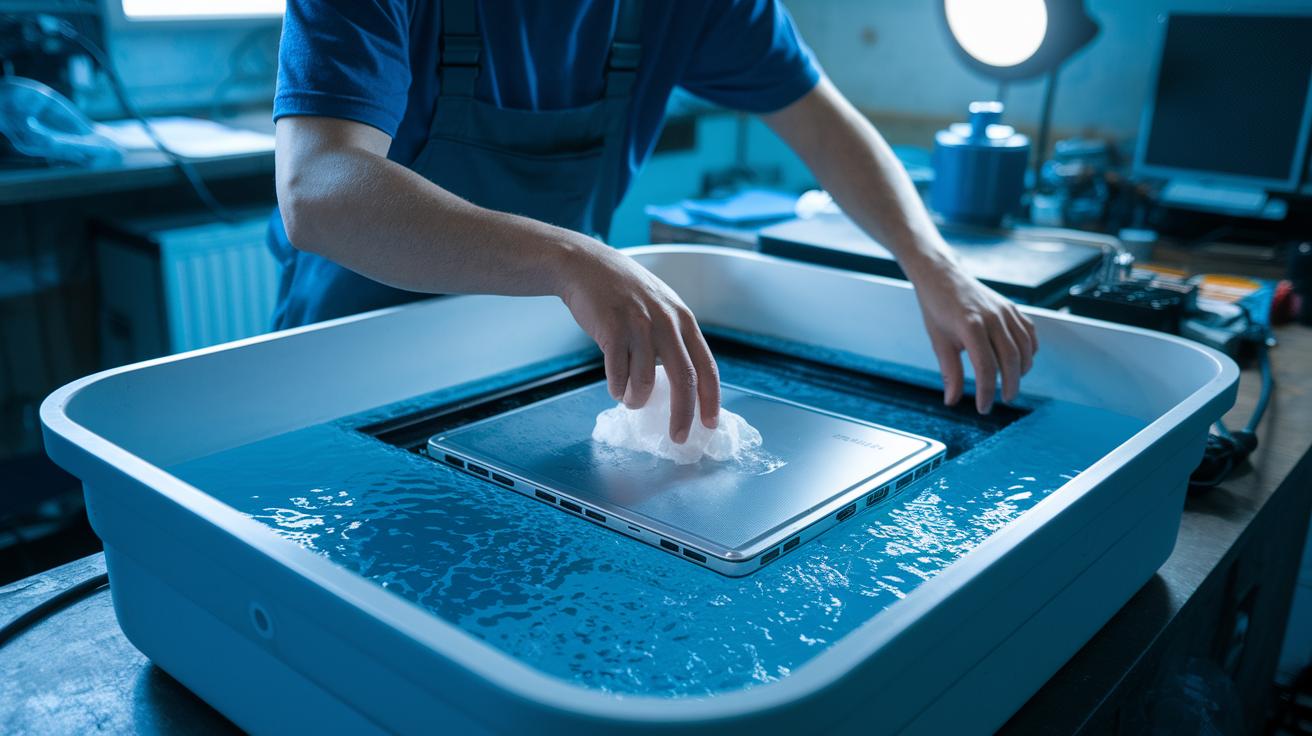
If your device has water damage or a heavy build-up of dust, it’s best to call a pro. Laptops, consoles, and complex circuit boards can be easily harmed if you try to clean them yourself. Certified technicians use ultrasonic baths (sound waves that help remove dirt) and special tools to clean fans and ports deep down, tasks that go beyond what you can safely do at home.
Sometimes, the manufacturer requires specific cleaning methods to keep your warranty intact. This means professional cleaning not only reduces risks but also helps preserve your warranty. When liquids seep into sensitive parts or dust builds up dangerously, trained experts make sure every component is safely cleaned and restored. Following these steps can lower the chance of extra damage and help extend the life of your device while keeping it up to manufacturer standards.
Final Words
In the action, we broke down every step to keep your devices safe and clean. We covered cleaning techniques for smartphones, laptops, tablets, and even internal components.
We listed the tools you'll need, shared tips to avoid damage, and explained when it's best to call in the pros. Our electronics cleaning guide makes it easy to care for your gear at home, cutting through confusing advice.
Keep your devices spotless and enjoy smoother performance every day.
FAQ
Frequently Asked Questions
What is a free electronics cleaning guide?
A free electronics cleaning guide provides step-by-step instructions on how to safely care for your devices using everyday tools, clear safety protocols, and tested methods to remove dust and germs without causing damage.
How does one clean an electronics circuit board?
Cleaning an electronics circuit board involves shutting off power, gently brushing off dust with a soft tool or compressed air, and then using a lint-free swab moistened with 70% isopropyl alcohol for precise cleaning.
How does one clean a circuit board without alcohol?
Cleaning a circuit board without alcohol means using alternatives like distilled water on a microfiber cloth or a specifically formulated electronic cleaning solution, ensuring minimal moisture and no residue for safe maintenance.
What is an electronic cleaner?
An electronic cleaner is a solvent made for safely removing dust, grime, and residue from electronic components; it evaporates quickly, reducing the risk of moisture damage while disinfecting surfaces effectively.
How is isopropyl alcohol used in electronics cleaning?
Isopropyl alcohol is applied by using a microfiber cloth or lint-free swab to clean device surfaces and components; its quick evaporation and disinfecting properties make it ideal for removing grime without harming the electronics.