

Ever worry about losing your keys or dealing with old locks? Smart locks could be the answer. They give you a modern way to secure your rental without permanent changes. In about 10 minutes, you can switch to keyless entry using Bluetooth (a way to connect devices wirelessly) or even your fingerprint. You don’t need to drill or risk upsetting your lease. With these locks, you can share digital keys and see who comes and goes. This simple upgrade adds extra security and convenience while keeping your landlord happy.
Why Smart Locks Are Ideal for Renters
Smart locks are a neat upgrade for rental homes that add extra security without making permanent changes. Instead of a traditional key, these locks use Wi-Fi, Bluetooth, or fingerprint scans to let you in. You can even control them from your phone, so it’s easy to unlock your door while you’re relaxing on the couch.
Renters really benefit from this approach because the locks attach to your existing deadbolt without any drilling. The setup is simple and DIY-friendly, meaning you won’t harm your door or break any lease rules. For example, you might finish installation in 10 minutes with just a Phillips screwdriver, no landlord approval required and your deposit stays safe.
These smart locks also offer smart access control. You can quickly share or cancel digital keys and check logs to see who entered your home. This gives you peace of mind and makes tampering or picking far less of a risk compared to traditional locks.
Overall, smart locks bring strong security, easy installation, and modern convenience to rental homes. They’re a practical choice for anyone looking to update their home security without the hassle of physical keys.
Types of Smart Locks for Rental Doors
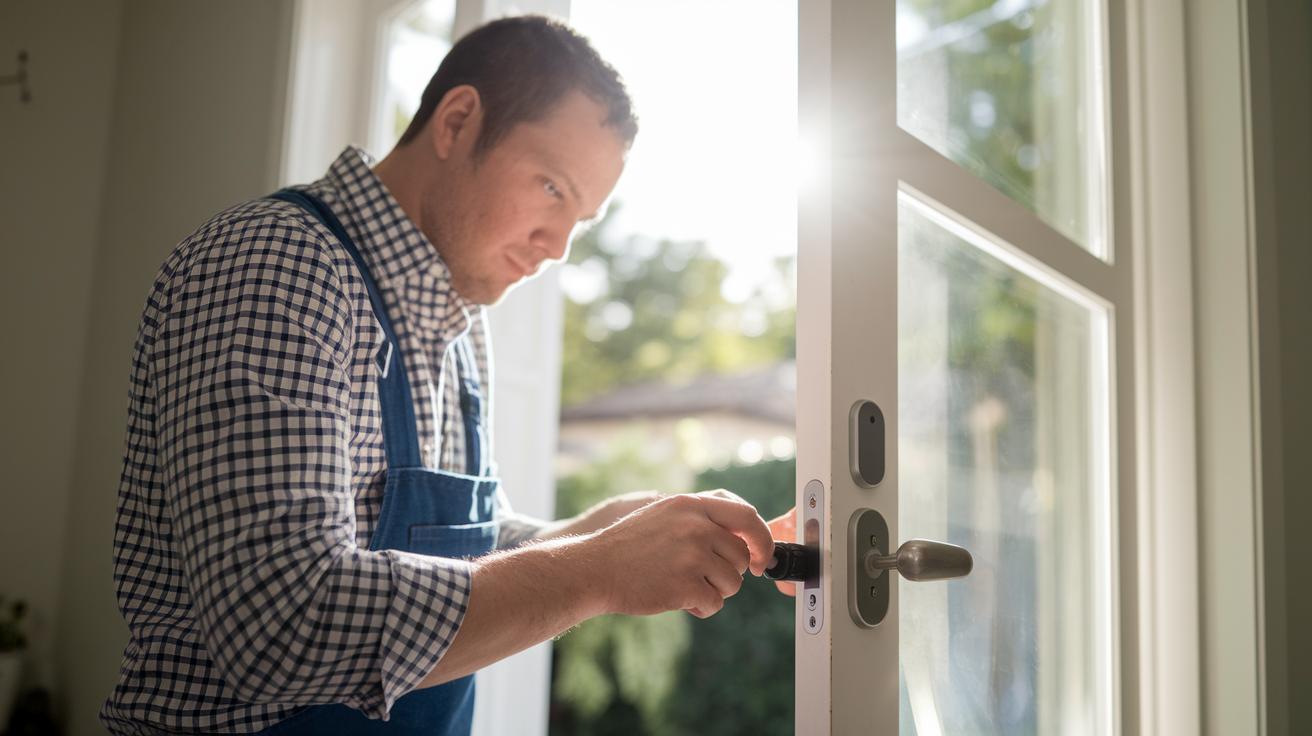
Adaptive retrofit smart locks sit right on top of your current deadbolt. They use a simple screwdriver setup that most of us can finish in about 10 minutes. No drilling means you keep the door exactly as is, which is great for protecting your deposit. These locks let you enjoy keyless entry using Bluetooth, Wi-Fi, or even voice commands. Always give it a test run on your deadbolt to make sure it fits correctly.
Native replacement smart locks replace your old deadbolt completely. With a model like the Yale Assure Lock SL, you get a sleek, keyless touchscreen interface. This type of lock often comes with extra features like improved access control and sometimes even Airbnb integration, though you might need your landlord's nod before switching out the lock. It's important to check that your door fits the new deadbolt so everything looks neat and works well.
No-drill retrofit smart locks attach using magnets instead of screws. For example, the Tedee GO CC snaps onto your current setup in about 3 minutes and leaves your door untouched. This method is perfect for renters since it never requires drilling or permanent fixtures. It means you can easily put the original lock back if needed, giving you a secure upgrade without any stress about wall damage.
Key Security Features and Benefits of Renting Smart Locks
Smart locks give renters a simple way to keep their homes secure. They record when someone enters using an audit trail (a log that shows entry times and codes), so you always know who’s come in. With a smartphone app, you can lock or unlock your door from any place. This means you can easily let in guests or service people without fuss.
These locks let you create different PINs (numbers that act like digital keys) for various users. For example, you can set a temporary code for a friend and remove it after their visit. Many smart locks also work with voice assistants like Amazon Alexa, Google Assistant, or Apple HomeKit. Plus, the data sent from your phone to the lock is encrypted, keeping it safe and secure.
Key features include:
- Audit trails to record entries.
- Remote lock management through an app.
- Multiple user access with customizable PINs.
- Voice control using smart assistants.
These features help turn your rental into a secure and easy-to-manage smart home.
Step-by-Step DIY Installation for Tenant-Friendly Smart Locks
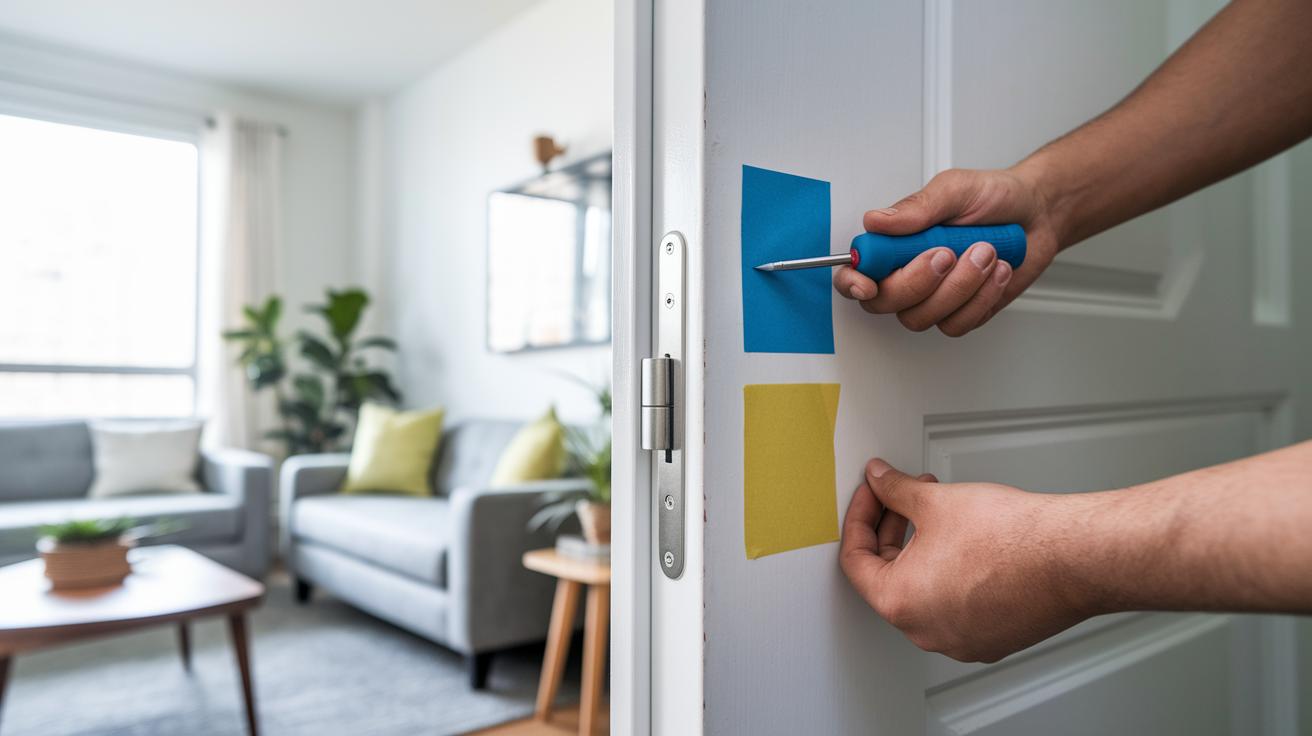
Installing a no-drill smart lock is a breeze. It takes about 10 minutes and only a few basic tools. This guide shows you how to secure your rental without leaving any permanent marks. Before you start, make sure your door is the right thickness for the lock and check your battery levels. Download the manufacturer's app ahead of time so you can set the lock up right and test it once it's in place. One user said, "I checked my door width first, and the whole process went smoothly."
Here's what you need to do:
- Collect your tools (a Phillips screwdriver and painter’s tape).
- Verify that the lock works with your door and install the batteries.
- Line up and attach the retrofit module to your existing deadbolt.
- Secure all parts and reinsert the batteries if needed.
- Use the app to calibrate and then test the lock and unlock functions.
Once you’ve tested and everything works well, you can enjoy the extra security and ease. This simple setup keeps your door looking the same, so your security is upgraded without risking your deposit or breaking any lease rules.
Comparing Smart Locks vs Traditional Deadbolts for Rental Homes
Smart locks make managing rental security easier. With these locks, you can use digital codes or remote access to control entry. This means you can cancel a code instantly without calling a locksmith. Many install smart locks without any drilling, which helps protect your home and your security deposit. They use encrypted signals and offer options like PIN or biometric entry (using fingerprints). That makes them tougher to tamper with. They are especially handy when tenants change since you can simply update access codes rather than get a whole new lock.
Traditional deadbolts, on the other hand, need physical keys. You must hand out keys or change the locks if residents change. Their installation often requires professional drilling, which may damage your door frame or wall and could affect your deposit. These locks usually give you less flexibility and might not hold up as well against modern tampering methods.
| Feature | Smart Lock | Traditional Deadbolt |
|---|---|---|
| Installation Ease | No drilling required | Often needs professional drilling |
| Access Management | Instant digital codes and remote cancellation | Physical keys and rekeying needed |
| Tamper Resistance | Encrypted wireless signals and PIN/biometric options | Standard mechanical cylinder |
| Security Deposit Impact | No wall damage; easy to remove | May cause door frame damage on install |
| User Flexibility | Multi-user codes and virtual keys | Single-key system |
Smart locks provide a less invasive, efficient way to secure rental homes. They combine modern security with easy management, which can be a real plus for busy landlords and property managers.
Cost Analysis: Finding Affordable Smart Locks for Renters
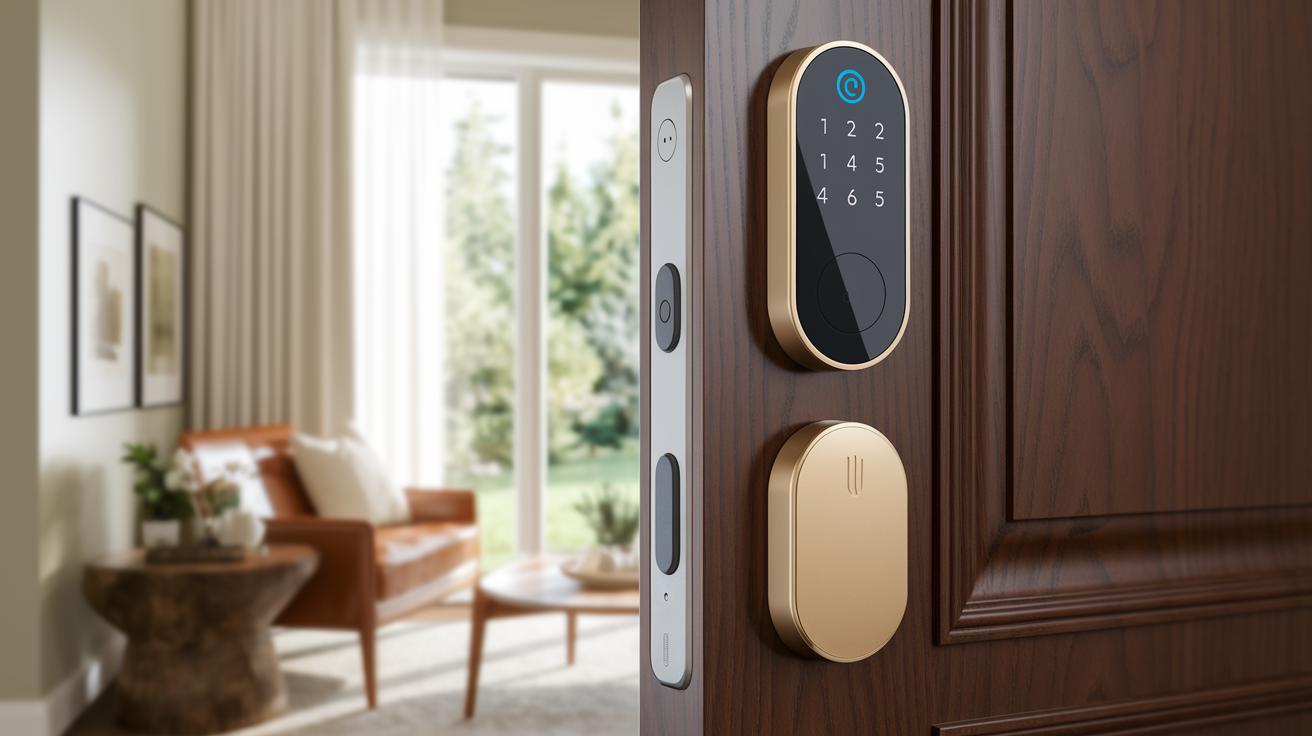
Smart locks come in different price ranges so you can pick one that fits your needs and budget. Basic options, like the Wyze Lock, start at about $70. They use Bluetooth (a short-range wireless tech) to let you unlock your door through an app. This simple fix gives renters a quick way to upgrade without spending a lot. One user even shared that changing from traditional keys to a $70 smart lock made their home feel a lot more secure.
If you're willing to spend a bit more, mid-range choices like the August Smart Lock Pro cost between $150 and $200. These models add a Wi-Fi bridge, so you can control your lock from just about anywhere. It’s handy if you ever need to let someone in remotely or unlock the door right from your car. This extra step makes your everyday routine smoother.
For those chasing top-notch features, premium models like the Schlage Encode or the Ultraloq U-Bolt Pro come in around $180 to $230. These locks feature ANSI Grade 1 security (which means they meet high safety standards) and offer many ways to unlock, such as PIN codes and even biometric scans. You also get the benefit of no monthly fees for the basics, though you have the option to subscribe for extra perks like cloud backups and extended support.
No matter your budget, these smart lock options let you find the right mix of safety and simplicity for your rental home.
Top 6 Smart Locks for Renters: Quick Comparison
Renters can now enjoy modern security without any major changes to their homes. Some of these smart locks work with your current deadbolt, while others are built to replace it entirely while adding new features. For instance, the August Smart Lock Pro is easy to set up with just a screwdriver and works with voice commands through its app. The Schlage Encode Smart Wi-Fi Deadbolt follows strict security standards and lets you set up to 100 user codes. Yale Assure Lock SL offers a keyless touchscreen that works well for places like Airbnbs. The Kwikset SmartCode 888 makes it a breeze to change codes right from the Home Connect app. Lockly Secure Pro brings extra security with a fingerprint reader and several ways to unlock the door. Finally, the Ultraloq U-Bolt Pro is built to last in any weather and features seven different ways to unlock, including automatic locking and scheduling.
| Model | Installation Type | Price Range | Key Feature |
|---|---|---|---|
| August Smart Lock Pro | Adaptive retrofit | $150–$200 | Voice control, app bridge |
| Schlage Encode Smart Wi-Fi Deadbolt | Native replacement | $180–$200 | Up to 100 codes [schlage smart lock] |
| Yale Assure Lock SL | Keyless touchscreen | $180–$200 | Airbnb integration |
| Kwikset SmartCode 888 | Adaptive retrofit | $140–$170 | Quick code change |
| Lockly Secure Pro | Native with retrofit kit | $200–$230 | Fingerprint reader |
| Ultraloq U-Bolt Pro | Adaptive retrofit | $180–$220 | Seven unlocking methods |
Rental homes need smart, simple security that’s both effective and easy to use. Most of these locks can be installed in about 10 minutes with just a screwdriver. Meanwhile, native models pack extra features like touchscreens or voice control. Use the table above to quickly compare prices and key features so you can pick the smart lock that best meets your needs.
Final Words
In the action, smart locks step in as a renter-friendly option that ticks the boxes for simple installation, flexible access, and enhanced security. Our guide broke down adaptive retrofits, native replacements, and no-drill models while comparing these systems to traditional deadbolts. We walked through DIY steps and cost factors, giving a clear look at key security features and ease of use. This way, smart locks for renters can help you protect your home without hassle and keep your deposit safe. Enjoy the added peace of mind.
FAQ
What are the best smart locks for renters?
The best smart locks for renters often include adaptive options like the August Smart Lock Pro and Kwikset SmartCode 888. They deliver keyless entry and easy installation while preserving the property.
What defines a renter friendly door lock from outside?
A renter friendly door lock from outside means a system that retrofits over your current deadbolt without drilling. It offers secure, keyless entry that can be managed remotely.
What features does the August Smart Lock offer?
The August Smart Lock offers an adaptive retrofit design that installs over existing deadbolts. It provides remote unlocking, simple virtual key sharing, and fits well with rental agreements.
What makes a door lock renter friendly from inside?
A renter friendly door lock from inside features keyless entry managed via a smartphone app. It enables tenants to control access without modifying the door structure or needing landlord approval.
What do smart locks for renters reviews highlight?
Smart lock reviews for renters highlight ease of installation, keyless entry, and non-invasive mounting. Reviews often praise the flexible access controls and secure, temporary digital key sharing.
What smart locks for renters are available on Amazon?
Smart locks for renters on Amazon generally include models with adaptive retrofit designs and smartphone control. Buyers appreciate their affordability, DIY installation, and non-damaging setup for rental homes.
What do users on Reddit say about renter friendly door locks?
Reddit users describe renter friendly door locks as systems that retrofit without drilling and offer straightforward installations. They share practical tips and real-world experiences about reliability and ease of use.
What options exist for a renter friendly lock for a bedroom door?
A renter friendly lock for a bedroom door is typically a simple smart lock that provides keyless entry. It installs with minimal tools and does not alter the existing door setup.
Is a smart lock renter friendly?
A smart lock is renter friendly when it installs without drilling and allows temporary digital access. It meets lease requirements, offers remote control, and adds flexible security for tenants.
What is the best smart lock for rental properties?
The best smart lock for rental properties installs without damage and offers remote control, digital key sharing, and robust security. Options like the August Smart Lock Pro fit these rental needs.
What are the downsides of smart locks?
The downsides of smart locks include reliance on Wi-Fi or Bluetooth, potential battery issues, and the need for occasional firmware updates. Some models require careful alignment during installation.
Can you put a smart lock on an apartment door?
You can put a smart lock on an apartment door if it is compatible with your door setup and lease terms. Many smart locks retrofit over existing deadbolts with little to no property modification.