

Ever thought about boosting your door's security without redoing everything? Retrofit smart locks let you do just that. They swap out only the inner thumb turn while keeping your exterior look and keys the same. In about ten minutes, you get features like mobile control and voice commands. This little upgrade makes home security simpler for both renters and homeowners.
Retrofit Smart Locks: Benefits for Existing Doors
Retrofit smart locks boost your home security without the hassle of replacing your current door hardware. You only swap out the interior thumb turn, letting you keep the same deadbolt and keys. This makes the upgrade smooth for both homeowners and renters while keeping your door’s original look.
The installation is fast and simple. In just 10 to 25 minutes, you can add modern security features without a long downtime or any major changes to your door. You get enhanced security and convenience with minimal disruption.
- Quick, renter-friendly installation (under 30 minutes)
- Preserve existing keys and exterior trim
- Remote lock/unlock via smartphone
- Multiple entry methods (app, keypad, biometrics)
- Integration with Alexa, Google Assistant, HomeKit
- Real-time alerts and access logs
- Cost-effective upgrade versus full lock replacement
Retrofit locks come in various price ranges. Basic kits start at about $100, and advanced models with Wi-Fi and voice control can cost over $200. Models like the August Wi-Fi Smart Lock and Yale Assure Lock 2 offer several ways to unlock the door, including mobile apps, keypad codes, biometrics, and voice commands. They are compatible with major smart home systems, making it easy to blend them into your current setup while providing strong and flexible security.
Compatibility Assessment for Retrofit Smart Locks on Traditional Doors
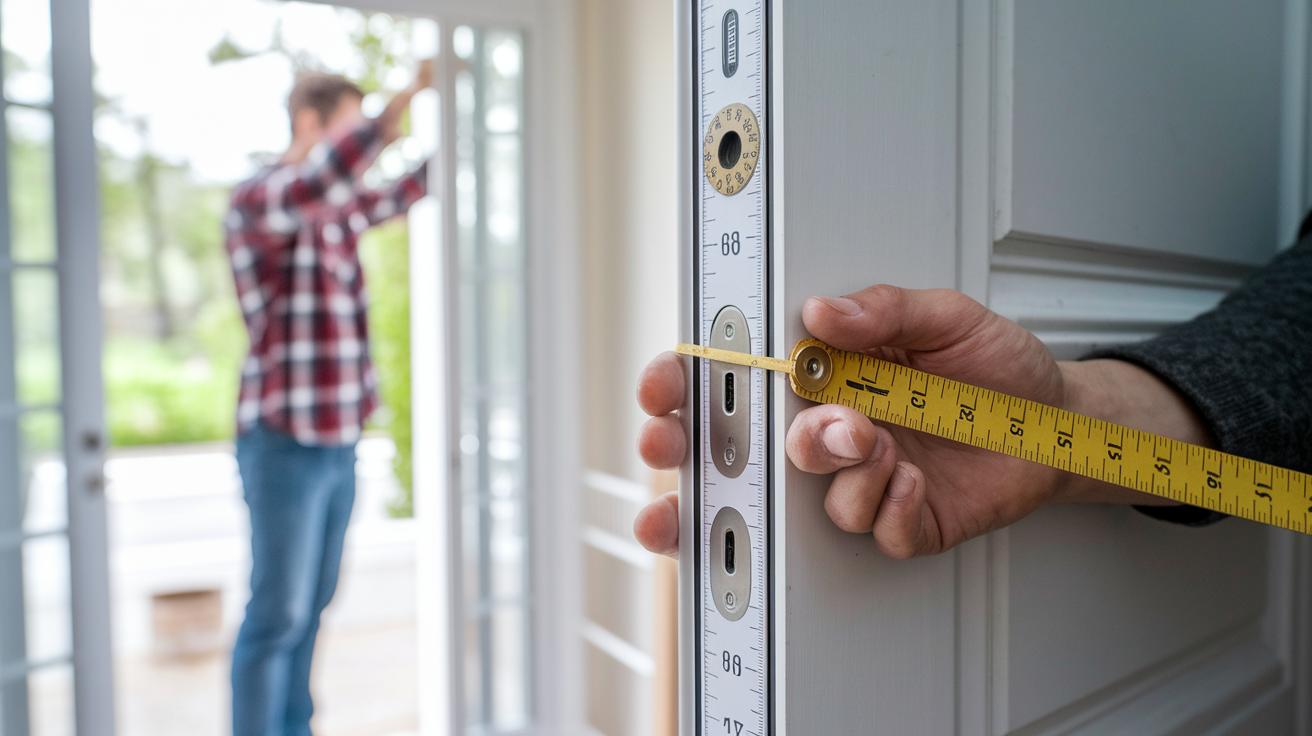
Before you buy a retrofit smart lock, measure your door carefully. Check the backset (the distance from the door edge to the center of the bore hole), note the bore hole diameter, and verify the door thickness. Most retrofit locks work with pre-drilled holes. They typically need a backset between 2⅜" and 2¾" and handle door thicknesses from 1⅜" to 2". This helps ensure the lock fits your door without extra work.
| Lock Model | Backset Range | Door Thickness | Hub Requirement |
|---|---|---|---|
| August Wi-Fi Smart Lock | 2⅜”–2¾” | 1⅜”–2″ | No hub (Wi-Fi built-in) |
| Schlage Encode Plus | 2⅜”–2¾” | 1⅜”–2″ | No hub (Wi-Fi built-in) |
| Yale Assure Lock 2 | 2⅜”–2¾” | 1⅜”–2″ | Optional Yale Wi-Fi module |
| Ultraloq Bolt Fingerprint | 2⅜”–2¾” | 1⅜”–2″ | No hub needed |
When choosing a lock, think about how you will use it. Bluetooth locks can help save battery life and work best when you are nearby. They make a simple connection without extra gear. In contrast, Wi-Fi-enabled locks let you control your door from anywhere. They may use battery power slightly faster and need a strong network signal. Your choice should match your need for remote control versus battery performance.
retrofit smart locks Spark Effortless Home Security
Pre-Installation Checks
Before you start, measure and mark your door to be sure the lock will fit. Check the backset (the distance from the edge of the door to the center of the hole), the board hole, and how thick your door is. Gather your tools: a Phillips-head screwdriver, a level, and new batteries. This step makes sure the bore hole on your door is in the proper place to avoid later issues.
Removing the Interior Thumbturn
First, take out the mounting screws, usually two screws. Then, carefully slide out the thumbturn and its tailpiece. Go slowly, because if the tailpiece is not aligned right, you might face problems when you put everything back together.
Attaching the Retrofit Module
Next, line up the smart lock chassis with the door’s interior plate. Insert the tailpiece into the new module and secure it using the screws provided. Once it is in place, snap the cover on firmly. Think of it like a puzzle: every piece has to line up for the lock to work smoothly.
App Pairing and Configuration
With the mechanical parts done, it’s time to connect the lock digitally. Download the manufacturer's app from your device’s app store. Use Bluetooth or Wi-Fi to connect the lock to your network. Name your lock and set up entry codes or even biometric data right away. This links your digital control to the physical lock for remote access.
Final Testing and Calibration
Lastly, test both the manual and automatic unlocking functions. Adjust the torque and sensitivity until the lock reacts like it should. Confirm that you receive notifications about door activity on your phone. Running these tests now saves you a hassle later by making sure everything works perfectly before you wrap up the installation.
Top Retrofit Smart Lock Models: Detailed Reviews and Comparisons
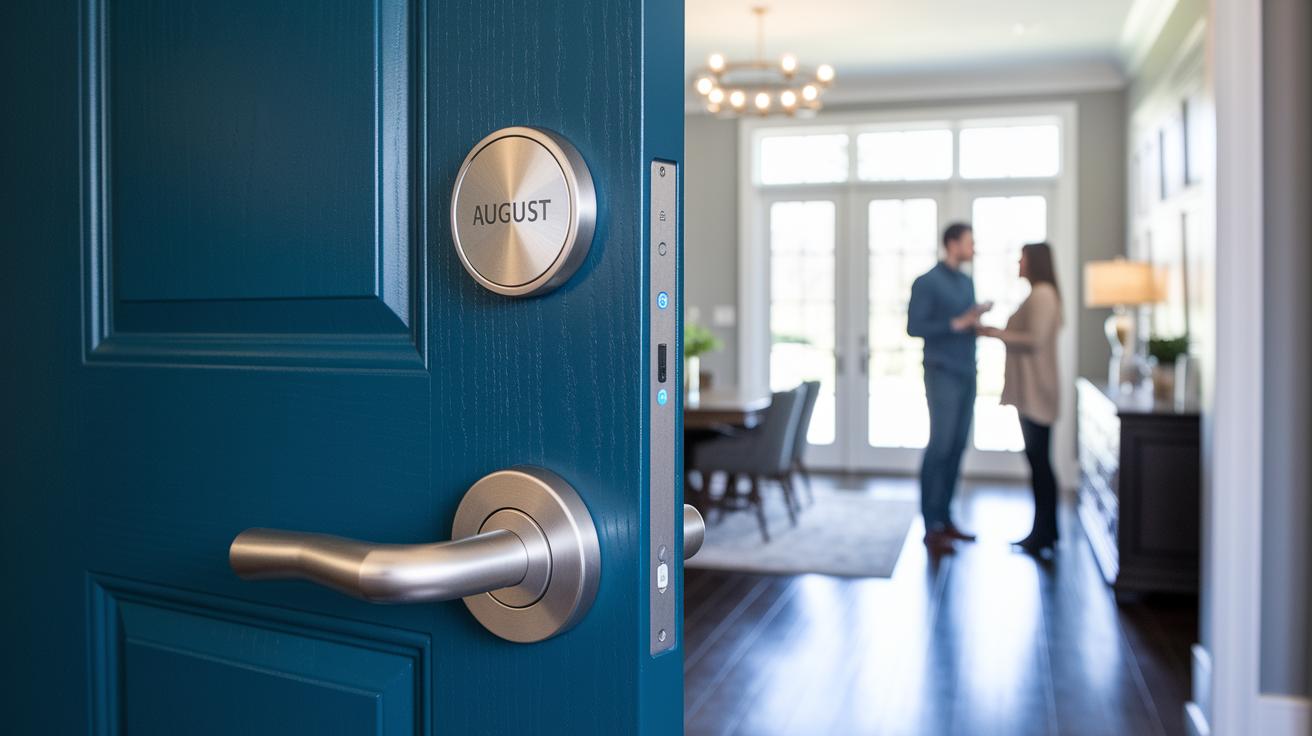
Choosing a retrofit smart lock is all about finding the right mix of cost, connection, and easy unlocking. The models below have proven they can handle real-life demands. Each one packs useful tech with everyday features to boost your home’s safety.
August Wi-Fi Smart Lock
The August Wi-Fi Smart Lock comes with built-in Wi-Fi that lets it lock automatically when you leave and unlock when you approach, thanks to a door sensor. It connects directly to your home network so you can control it from anywhere without needing an extra hub. Priced around $249, it's made for people who want smart connectivity without fussing over complicated setups. The battery lasts well, and its design fits nicely with most doors.
Ultraloq Bolt Fingerprint
The Ultraloq Bolt Fingerprint offers several ways to unlock your door. It uses a fingerprint scanner, a keypad, and a traditional keyhole for backup. Its built-in Wi-Fi means you can manage access remotely without a separate hub. If you like having more than one way to get in, you’ll find its fast response and secure setup reassuring, even with everyday use.
Lockly Visage Zeno Series
The Lockly Visage Zeno Series stands out by using facial recognition powered by two infrared cameras. It also works with a fingerprint scanner and even accepts voice commands. This model is a great fit if you want cutting-edge features that adjust to changes in light. It’s designed for those looking to blend advanced security tech with a smooth user experience.
Eufy FamiLock S3 Max
The Eufy FamiLock S3 Max isn't just a lock, it also serves as a 2K video doorbell with an interior screen. It stores up to 15.5GB of video footage, offering extra peace of mind with visual monitoring. This model works well for families that value both secure access and the ability to keep an eye on who’s at the door.
Yale Assure Lock 2
The Yale Assure Lock 2 is all about flexibility. It offers both Bluetooth and Wi-Fi options, paired with either a keypad, touchscreen, or traditional key override. This level of customization suits users who want a lock that can adapt to different security setups. It easily integrates with smart home systems while letting you choose the features that best fit your needs.
Troubleshooting and Maintenance for Long-Term Retrofit Smart Lock Reliability
Smart locks sometimes run into issues like a fast-draining battery or a weak signal. Wi-Fi locks that use 4 AA batteries usually last about 3-6 months, while Bluetooth models can run for 8-12 months. If you use the lock a lot, it might lose connection or show low battery alerts, which can cut off remote control and live notifications.
Another common problem is the signal dropping. This can happen if your network credentials are weak or if the lock's firmware (the built-in software) is outdated. A quick reboot of the lock often fixes the issue for a short time. It's important to check and fix these issues early so your smart system remains reliable.
When you see a prompt to replace the battery, turn off the lock first to avoid any hiccups. Remove the old batteries and look for any signs of corrosion. Then, put in the new batteries as per the user guide. Open the app next and check for any firmware updates. If an update is available, install it and restart your lock to boost its performance and connectivity.
For regular upkeep, make sure to oil moving parts like the deadbolt and clean the sensor windows every six months. Also, test the auto-lock feature from time to time to keep your entryway secure. This regular care helps ensure your smart lock works properly when you need it the most.
Final Words
In the action, we run through the benefits of converting your door with retrofit smart locks. We covered how to boost security without changing your exterior hardware, measured for compatibility, and walked through a clear installation guide. We also compared top models and offered practical troubleshooting and maintenance tips.
This guide shows that upgrading your entryway is simple and effective. With these retrofit smart locks, you get convenience, control, and peace of mind for a smarter home upgrade.
FAQ
What is the August Smart Lock?
The August Smart Lock series signifies a retrofit upgrade that lets you control your existing deadbolt with wireless access, offering remote lock and unlock, auto-lock features, and integration with smart home systems.
What benefits do retrofit smart locks offer for existing doors?
The retrofit smart locks deliver a security boost without replacing your door’s exterior. They preserve traditional keys, provide remote access, show real-time alerts, and typically install in 10–25 minutes to suit busy households.
How does the retrofit smart lock app function?
The retrofit smart lock app serves as the control hub by pairing with the lock for remote commands, access logs, and setting up entry codes or biometrics, letting you manage your door right from your smartphone.
What is the installation process for retrofit smart locks?
The retrofit smart lock installation begins with checking your door’s measurements, followed by removing the thumb turn, mounting the retrofit unit, and pairing the lock using the app—usually taking about 30 minutes for a hassle-free setup.
What smart lock options work with existing deadbolts?
The available smart lock options, like those from August, Yale, and Lockly, work with standard deadbolts. They combine modern features such as Wi-Fi, keypads, biometrics, and video monitoring with your current door setup.
What features do Lockly smart locks offer?
The Lockly smart locks, including models with facial recognition and video capabilities, offer multiple access methods, real-time alerts, and smart integrations to enhance security while fitting retrofit applications for existing doors.
What advantages do Yale retrofit smart locks bring?
The Yale retrofit smart locks present keyless entry with flexible connectivity options like Wi-Fi and Bluetooth, allowing you to manage your door with touchpads, keycodes, and even optional traditional keys for extra peace of mind.